
Ambient AI scribes speed urgent care charting, integrate with FHIR, and reduce after-hours notes while requiring clinician review.
If I run an urgent care clinic, AI ambient scribes can cut charting time during short visits and help clinicians close notes sooner. In a setting where providers may see 30–50 patients per day, saving 1–2 minutes per visit can return 30–100 minutes per shift.
Here’s the short version:
Unlike manual charting or post-visit dictation, ambient scribing keeps the visit moving while the note is built in the background. That can mean less screen time, fewer open charts at the end of a shift, and cleaner handoffs when a patient needs more care.
| Method | How it works | Main tradeoff |
|---|---|---|
| Manual charting | Clinician types during the visit | More screen time during care |
| Dictation | Clinician speaks after the visit | Delayed note and memory gaps |
| AI ambient scribe | System creates a draft from the visit conversation | Needs review for errors and extra text |
What stands out most to me is this: the tool is not the final author of the chart. It’s a draft engine. The note still needs provider attestation, patient consent, secure storage, and an audit trail.
If I were reviewing this topic, I’d focus on three things first:
That’s the core of the article: use ambient scribes to cut charting load, but roll them out with tight review and clean EHR workflow.
Ambient scribes work best in the short, repeatable visits that make up a big part of urgent care.
Urgent care usually means a steady flow of sore throats, coughs, UTI symptoms, rashes, and minor injuries. Even though these visits are often brief, the chart still has to be complete. That’s where ambient scribes come in. In many cases, the note is already taking shape before the provider even leaves the room. Ottehr's platform has been used in over 1,000,000 urgent care visits. That kind of scale matters when charts need to keep up with one patient after another.
That same time savings helps when a visit shifts from simple to more involved.
Ambient scribes help most when the chart has to keep pace with care as it happens.
Urgent care documentation gets heavier when a visit includes a procedure or a more complex workup. A laceration repair, a splint, an incision and drainage, or a nebulizer treatment all need clear charting around consent, findings, the steps taken, and the patient’s response. Ambient scribes record that story in real time. For more complex workups - like chest pain evaluations or abdominal pain assessments - the tool tracks reassessments and builds a chart the ED team can use right away if a transfer is needed. When that handoff happens, the record is already in place. That matters for patient safety and for the team receiving the patient.
| Visit Type | Examples | What the Scribe Captures |
|---|---|---|
| High-Volume Acute | URI, sore throat, UTI, rashes | HPI, encounter summary, assessment, plan |
| Procedures | Laceration repair, splinting, I&D | Consent, findings, treatment steps, reassessment |
| Complex Workups | Chest pain, abdominal pain | Reassessments, test results, disposition |
| Transfers | ED transfers | Encounter summary, disposition rationale |
The same workflow also works in virtual urgent care, where the note still needs to match what happened in the visit.
Virtual urgent care visits - like flu-like illness, minor skin complaints, and medication follow-up - need the same level of documentation as in-person care. The same ambient note workflow can be used for both. After the visit, the system turns the audio into a draft note for provider review. That gives teams one documentation process across in-person and virtual urgent care visits.
Turning a visit into a chart note usually follows three steps.
First, speech recognition records the conversation during the visit. Then NLP pulls out the clinical details, such as symptoms, exam findings, diagnoses, and the care plan. After that, the AI puts those details into a SOAP-style draft note for the provider to review and sign.
That structure is what makes ambient speech usable inside the chart instead of leaving it as a plain transcript.
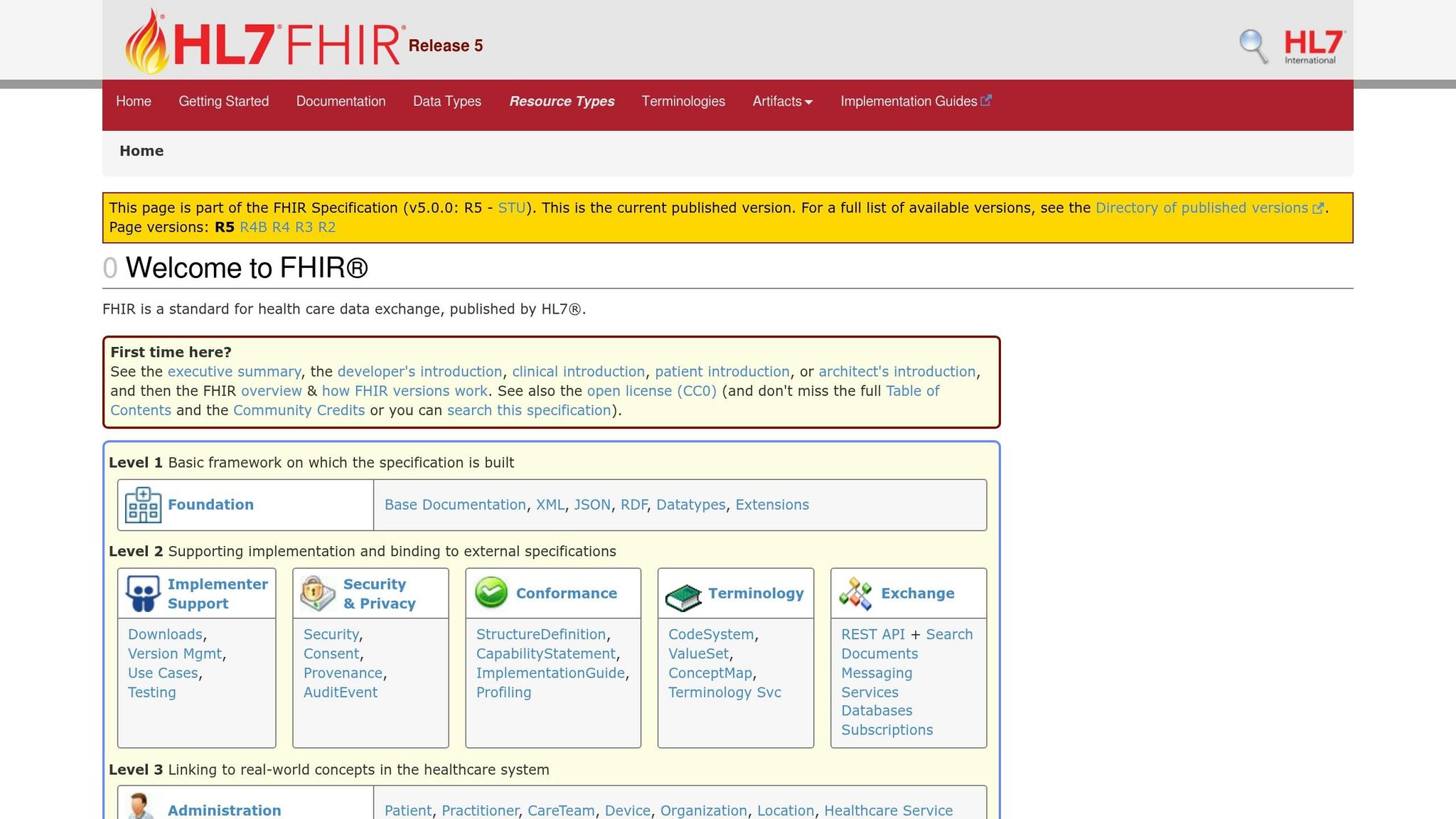
A text draft alone doesn't get the job done. Urgent care teams need the content to land in the correct EHR fields, including problems, procedures, orders, results, and medications, as structured data. That's where FHIR API integration comes in.
"FHIR-native EHRs improve interoperability, speed workflows, cut costs, and enable real-time alerts and AI-driven care." - Ottehr
In day-to-day use, ambient capture starts right from the tracking board when the encounter begins. Once the provider finalizes the note, the data moves into signed documentation ready for coding and billing. That also supports downstream revenue cycle management without adding manual work.
For busy urgent care clinics, the way the system connects matters a lot. FHIR-native workflows allow deeper data mapping and faster handoffs. Simpler manual methods can slow charting and add more room for mistakes.
| Integration Method | Setup Effort | Mapping Depth | Fit for Urgent Care |
|---|---|---|---|
| FHIR API | Low (if native) | High - discrete data | Best: Real-time data flow, automated orders |
| Web app | Medium | Medium - text-heavy | Good: Flexible for web-based EHRs, limited deep mapping |
| Local connector | High | Medium | Moderate: Works for legacy systems, requires local install |
| Manual copy-paste | Low | None - fully manual | Poor: High error risk, too slow for high-volume clinics |
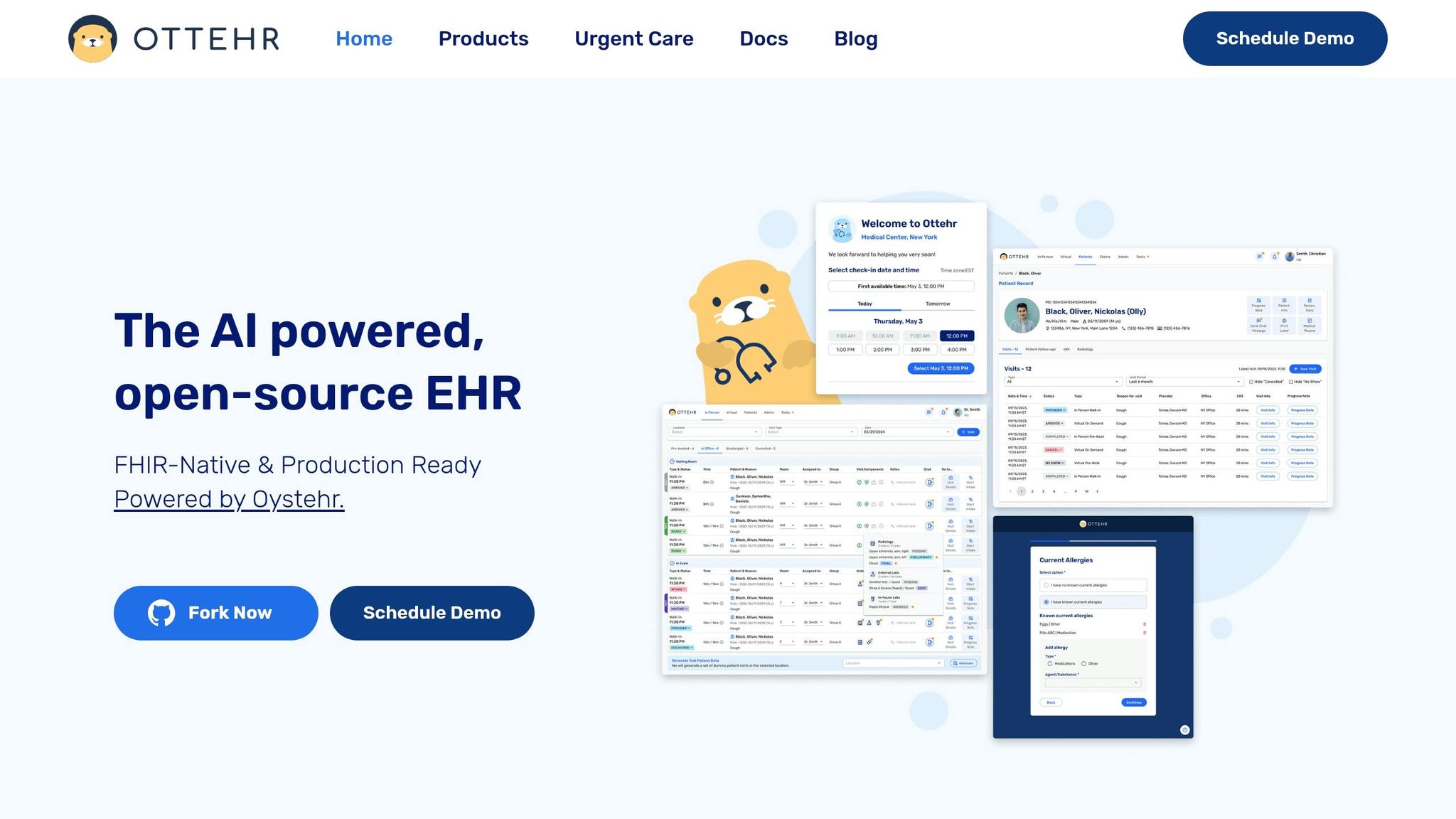
Once the visit is captured, the next step is getting that content into the correct EHR fields. Ottehr's FHIR-native, modular design puts ambient documentation in the same system as the tracking board, diagnostic orders, and radiology integration. Ottehr's modular architecture also makes it easier for urgent care IT teams to adjust the workflow to fit their clinic setup.
Providers launch capture from the tracking board, and the note comes back to the same chart used for orders, results, and signatures.
Once ambient notes land in the chart, the payoff shows up fast: less time spent charting, cleaner notes, and lower compliance risk.
Ambient scribes save time right away. They cut down manual charting, keep clinicians focused on the patient, and help visits move faster. Nearly 50% of physicians are affected by burnout, and documentation work often makes that worse.
When AI handles the first draft, providers can pay attention to the person in front of them instead of staring at a screen. That change also helps on the ops side. Less after-hours charting means less cleanup at the end of a shift and better chart closure rates.
AI notes should be treated as drafts. The provider still needs to review, edit, and sign every chart.
The two main risks here are omissions and note bloat. Both can hurt coding accuracy and note quality. The plain fix is to use structured templates and make review a required step in the EHR workflow. In practice, that means AI can draft the note, but provider attestation stays mandatory.
Before any ambient capture starts, patients should be told that AI is helping with documentation. Consent should be collected during digital intake before recording begins. That keeps the visit moving and leaves a clear consent record in the chart.
For urgent care workflows, the main guardrails are:
Use secure storage, role-based access, and a complete audit trail.
The table below sums up the main impact areas, risks, and safeguards for urgent care:
| Impact Category | Urgent Care Benefits | Risks & Safeguards |
|---|---|---|
| Clinical | Faster note completion during high-volume shifts | Risk of AI-generated errors or omissions; requires mandatory provider attestation |
| Operational | Reduced after-hours charting; improved chart closure rates | Potential for note bloat; requires templates to keep AI summaries concise |
| Compliance | Stronger documentation for E/M coding; clear audit trails in FHIR-native systems | Patient privacy concerns; requires explicit consent and HIPAA-compliant data handling |
These gains depend on consent, review, and clean FHIR-native EHR integration. The next step is making that rollout controlled and predictable.
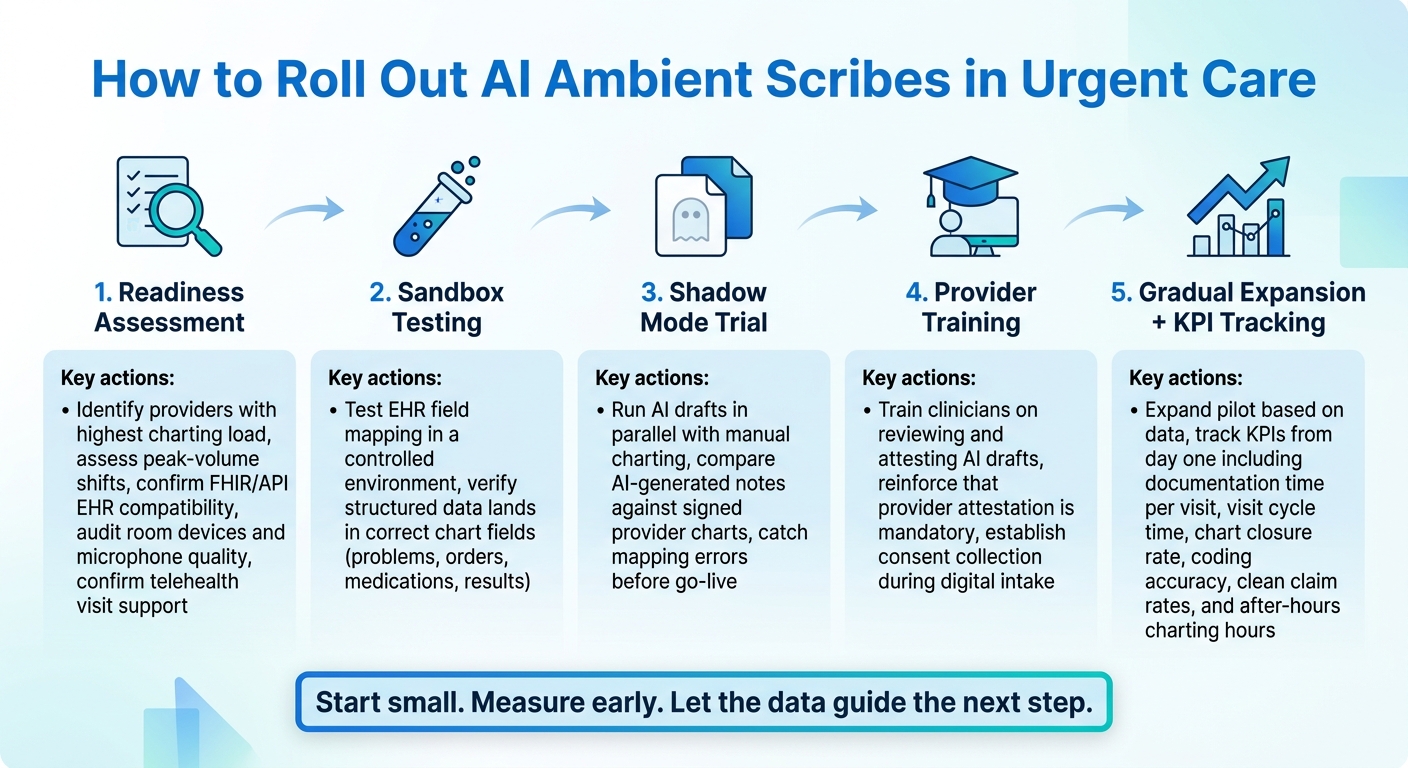
AI Ambient Scribe Rollout Process for Urgent Care Clinics
Roll out ambient scribes with a small pilot first, then expand once the results look good. That approach keeps risk low and makes it easier to spot issues before they hit the whole clinic.
Use your workflow gaps to set the pilot scope. Look at which providers carry the biggest charting load, which shifts handle the highest visit volume, and whether the EHR supports FHIR or API integration. Those details shape how smoothly ambient-generated notes flow into the chart and the tracking board.
On the tech side, review room devices, microphone quality, and secure network access in each exam room. It also helps to confirm whether your visit mix includes telehealth, because the system needs to work for both in-person and virtual visits.
Once the readiness check is done, move into sandbox testing and shadow mode. A controlled rollout should pass through a sandbox test, EHR field-mapping checks, a shadow-mode trial, and then gradual expansion. In shadow mode, compare AI drafts against signed charts before you stop manual charting. That’s the point where mapping errors tend to show up, and it’s far better to catch them there than in live charts.
Providers also need training on how to review and attest AI drafts. The tool can save time, but the final chart still needs a clinician’s eyes on it.
Track these KPIs from day one of the pilot:
| Metric Category | What to Measure |
|---|---|
| Clinical Efficiency | Documentation time per visit, note completion time, after-hours charting hours |
| Operational Flow | Visit cycle time, patient throughput, provider utilization |
| Financial/Compliance | Chart closure rate, coding accuracy, clean claim rates, denial trends |
| Provider Experience | After-hours charting time |
AI ambient scribes tend to work best in urgent care when the rollout is deliberate. Start small, measure early, and let the data guide the next step.
AI ambient scribes can be highly accurate in urgent care because their speech recognition is trained on large clinical audio datasets. That training helps them pick up medical terms, anatomy, and medication names that general speech tools often miss.
They also document details as the visit happens. That matters because it cuts down on memory-based mistakes that can happen when notes are written later. In some tasks, such as medication histories that also use visual data, accuracy can reach 98%.
Physicians still review every note before it becomes part of the medical record.
It requires an EHR integration built on modern interoperability standards. Ottehr uses FHIR-compliant APIs and HL7 standards to support smooth data exchange inside the clinical workflow.
With these standard frameworks in place, the ambient scribe can capture patient-provider conversations and send structured, visit-ready documentation straight into the EHR.
Pilot ambient scribes with human oversight at the center. Every AI-generated note should be reviewed by a physician before it is added to the medical record to help check accuracy.
It also helps to fit the tool into the existing EHR workflow and use structured documentation, such as SOAP, so AI can help draft notes while providers keep final authority over the visit.

Tell us what you need and we'll get back to you soon.