
Automate eligibility, point-of-service estimates, EHR→PMS charge flow, claim scrubbing, and denial follow-up to lower days in A/R.
High days in A/R usually means the same thing: your urgent care is getting paid too slowly because claims are breaking down at a few predictable points. If I want to lower A/R, I focus on five areas first: eligibility checks, front-desk collections, charge flow from chart to bill, claim edits, and denial follow-up.
Here’s the short version:
The article’s main point is simple: an integrated urgent care practice management system should help your team stop errors early, move charges into billing right after the note is signed, scrub claims before submission, sort denials into work queues, and post ERA payments without manual entry.
A few numbers make the case clear:
If I were reviewing a system, I’d check whether it gives me:
| Area | What I’d look for | A/R issue it helps fix |
|---|---|---|
| Front desk | Eligibility, registration checks, payment estimates | Prevents avoidable denials and missed collections |
| Mid-cycle | EHR-PMS connection, coding help, claim scrubbing | Cuts charge lag and first-pass rejections |
| Back end | Claim tracking, denial queues, ERA posting, patient billing tools | Keeps claims from aging into 30, 60, and 90+ day buckets |
If days in A/R are climbing, I’d start by finding where claims stall most often and whether the system removes manual re-entry across the full billing flow.
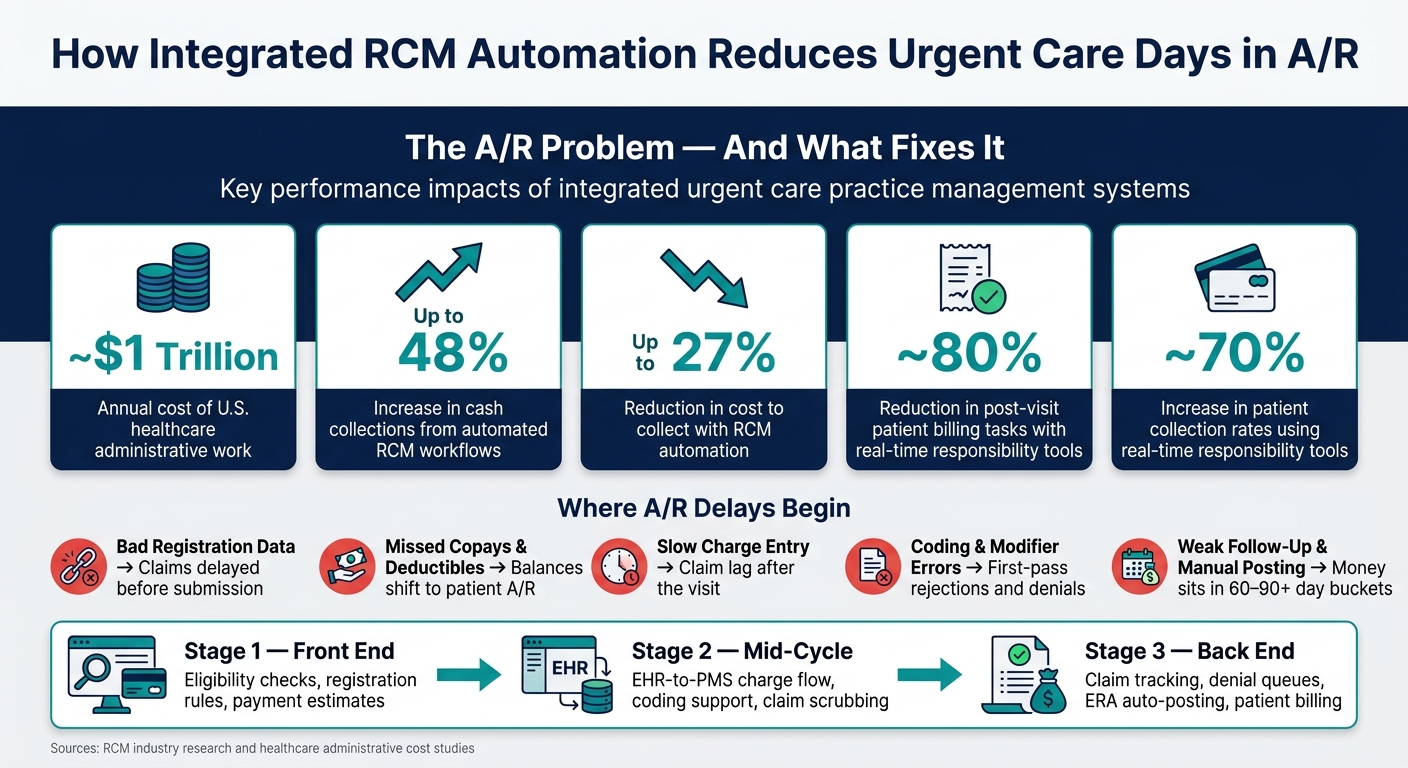
RCM Automation Impact: Key Stats for Urgent Care A/R Reduction
Bad demographics, inactive insurance, missing subscriber details, and uncollected copays can slow A/R before a claim even goes out. The best place to start is eligibility and intake, because that’s where many of the first delays begin.
Real-time eligibility (RTE) verification is a core front-end control. When the system checks coverage before the visit, staff can catch inactive plans, coordination-of-benefits conflicts, and missing authorization requirements early. Good eligibility tools also show benefit details, coverage limits, and exclusions, which helps the team spot issues before they turn into denials.
A rules engine can flag missing required fields during registration. If the subscriber ID, group number, date of birth, or provider information is missing, the system stops the problem before the chart moves forward. That cleaner intake process helps improve first-pass claim acceptance.
Once registration is clean, the next step is tighter charge capture and cleaner claims.
Collect at the point of service. When systems show copays, deductibles, and coinsurance in real time, front-desk staff have the numbers they need to have a clear conversation before the visit ends. Showing expected patient responsibility in real time can reduce post-visit patient A/R billing tasks by approximately 80% and increase overall patient collection rates by about 70%.
Tools like card-on-file support and collection prompts make it easier for staff to collect copays, coinsurance, and deductibles right away. If staff can see the amount due before checkout, more balances get collected on the spot.
After front-end collection is in place, the next focus is getting charges into the claim fast.
After the front desk handles eligibility and collections, the next A/R risk shows up in the stretch between the visit and the claim. This is where small misses turn into billing delays. Every manual handoff in the chain - charting, coding, claim creation, and submission - creates room for a service to get missed, a code to be keyed in wrong, or a claim to sit untouched for days. One of the best ways to tighten that gap is direct EHR-PMS integration.
With a well-connected system, charges post automatically as soon as the encounter is signed. No one needs to enter the same data twice. That matters even more in urgent care, where visit types can change from one patient to the next.
When charges move straight from the signed encounter note into the billing module, charge lag drops and claims get out the door sooner. And once automatic charge posting is in place, the next bottleneck usually shifts to coding and claim edits.
A strong system checks CPT and ICD-10 combinations, reviews modifiers, and runs each claim through a payer rules engine before it reaches the payer. First-pass acceptance becomes the clearest sign of how well that scrubbing is working.
This step catches common errors behind first-pass rejections, including:
That means more clean claims on the first pass and less rework before submission.
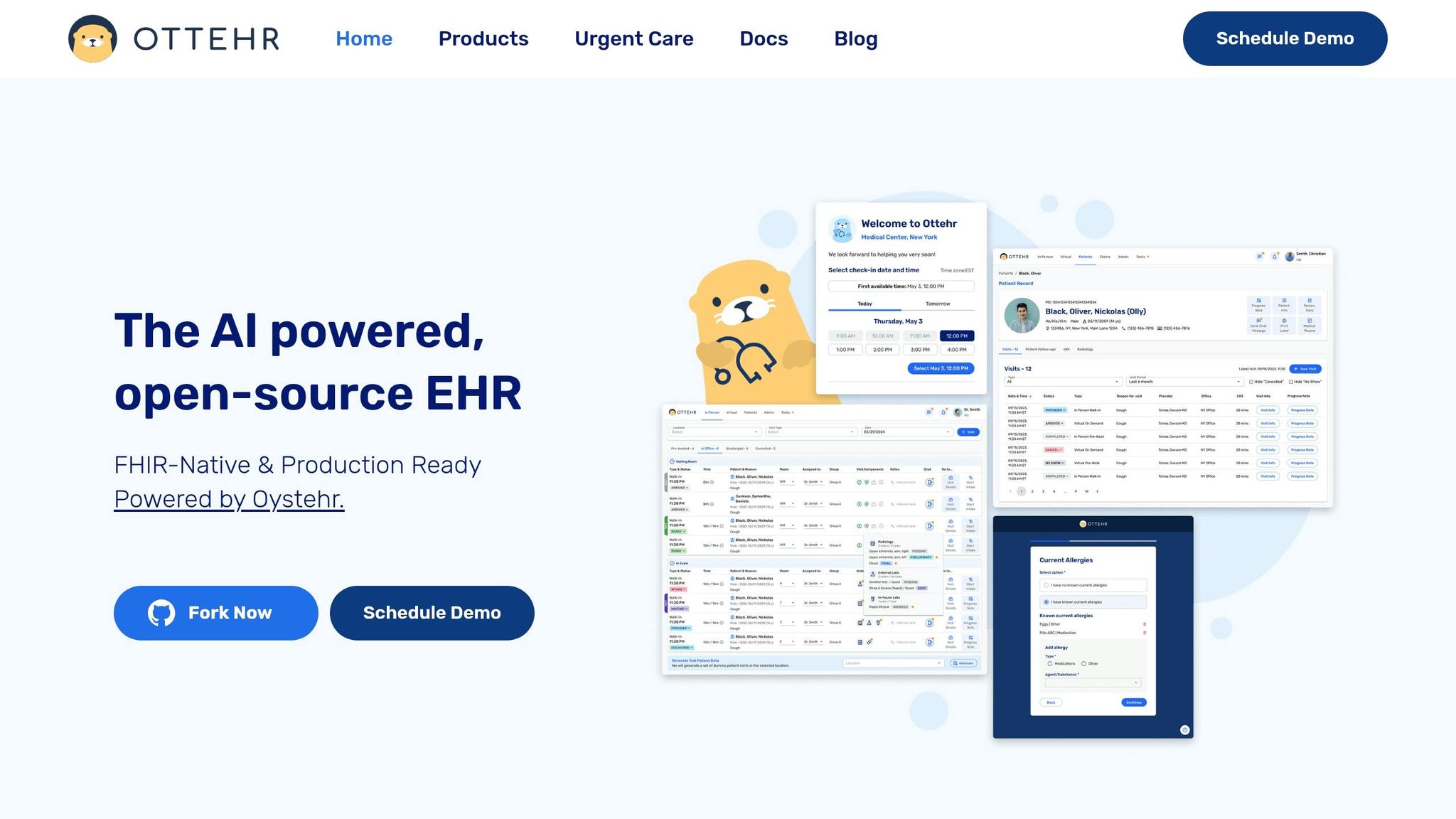
Ottehr is built as a FHIR-native, AI-powered platform that keeps charting and billing in one connected environment. Its AI ambient scribe turns clinical conversations into structured notes, helping support codes with documentation that matches the level of service being billed.
The AI coding assistant then suggests CPT and ICD-10 codes from that documentation and flags possible mismatches between the documentation and billed modifiers before the claim is finalized. Cleaner documentation also helps speed up downstream denial follow-up.
Even clean claims can get stuck after submission. That’s why back-end workflows matter so much. They keep reimbursement moving and help stop claims from drifting into older A/R buckets.
Without automated status tracking, teams burn time calling payers or logging into portals one by one. A solid practice management system pulls payer responses automatically and puts unpaid or stalled claims into a clear work queue.
The strongest queues sort denials by reason code, payer, dollar amount, and filing deadline. It helps to have denial management, configurable work queues, automated billing, and real-time reporting all in the same workflow.
Why does that matter? Because follow-up works best when it happens early. Faster action can cut down the share of claims sitting in older aging buckets. The goal is to catch stalled claims before they hit 30 days, not after they’ve already slipped into 60- or 90-day follow-up.
When remittances come in as Electronic Remittance Advice (ERA), automated posting applies payments to the right claims without manual keying. That cuts posting errors and keeps account balances current in near real time, so staff can see what’s still outstanding versus what’s already been paid.
Once the payer has adjudicated the claim, patient balances should move fast too. Digital statements, SMS payment links, online payment portals, and card-on-file billing can speed patient collections after payer adjudication.
These back-end capabilities should be part of every system comparison.
Use these criteria to judge whether a system fixes the A/R bottlenecks listed above.
Start with the full workflow. Check whether the system links registration, clinical documentation, coding, claims, and payment posting in one connected process. The key thing to confirm is simple: does data move from the EHR to the practice management system without manual re-entry? If billing staff have to retype charted data, delays and errors tend to pile up fast.
Focus on tools that help staff act right away, not days later. That includes real-time eligibility checks, billing rules you can adjust, AI coding support, claim scrubbing, and reporting that shows A/R aging each week. You should also track the numbers that tell you if the system is doing its job:
Use the checklist below to compare systems on the workflows that most directly affect days in A/R.
| Feature | What to Verify | Workflow Impact | Primary A/R Metric Affected |
|---|---|---|---|
| Eligibility Verification | Real-time coverage and deductible check | Prevents service for ineligible patients; sets collection expectations | Denial rate; Days in A/R |
| Registration Controls | Automated validation of demographics and insurance | Reduces front-end errors that lead to "return to provider" claims | Clean claim rate |
| Payment Estimates | Allowed amount estimate before checkout | Enables point-of-service collections; reduces post-visit billing tasks | Patient A/R; collection rate |
| Charge Capture | Signed encounter posts automatically to PMS | Eliminates manual entry lag and missed charges | Charge lag time |
| Coding Support | CPT/ICD suggestions from AI assistant | Reduces manual coding time and coding-related errors | Coding-related denial rate |
| Claim Scrubbing | Configurable rules engine with modifier validation | Flags errors before submission, including incorrect modifiers | First-pass clean claim rate |
| Claim Status Tracking | Automated payer response retrieval | Removes manual portal checks; surfaces stalled claims early | Days in A/R (aging) |
| Denial Work Queues | Automated categorization and prioritization of rejections | Speeds up appeal and re-submission process | A/R aging (>60 days) |
| ERA Auto-Posting | Automatic matching of payments to open claims | Reduces manual posting labor and reconciliation errors | Days in A/R |
| Patient Payment Tools | Card-on-file and online payment options | Automates collection of remaining balances after adjudication | Patient collection rate |
| EHR-PMS Integration | Bi-directional data flow for clinical/billing alignment | Ensures billing reflects the most current clinical documentation | Net collection rate |
If the problems start at registration and end at payment posting, your system needs to connect every step in between.
High days in A/R usually come from the same weak spots: front-end registration errors, slow charge capture, inaccurate claims, delayed denial follow-up, and patient balances that never get collected. That’s why it helps to trace the issue from the first touchpoint to the last payment instead of treating billing as a back-office problem alone.
The numbers make the case pretty clear. Implementing RCM automation can reduce cost to collect by as much as 27%, and real-time patient responsibility calculations can reduce post-visit patient A/R billing tasks by approximately 80%. Ottehr can automatically flow claims from signed encounters into the RCM workflow, which cuts down the manual handoff between clinical documentation and billing.
If your days in A/R are moving in the wrong direction, start by finding where claims are getting stuck. Then check whether your current system gives your team enough visibility and automation to fix it fast. For more industry insights, visit the Ottehr Blog.
For urgent care practices, a 22- to 30-day accounts receivable target is a solid mark to aim for.
Manual workflows often land in the 45- to 65-day range, while broader benchmarks can stretch from 12 to 60 days.
Here’s the simple takeaway: lower days in A/R usually means you’re getting paid faster, which helps keep cash flow steadier and day-to-day operations less strained.
Urgent care clinics should process and bill claims within 1 to 3 business days after a patient visit. That short window helps protect cash flow and cuts down on billing slowdowns.
This gets much easier when the EHR and billing system work together, so clinical notes and charge data move over automatically as soon as the encounter is signed.
Prioritize denied claims by reimbursement potential or total dollar value. Instead of handling denials one at a time, focus on patterns like registration errors or coding mismatches.
Use your system’s denial work queues to spot trends, manage appeals, and address root causes that can help prevent future denials.

Tell us what you need and we'll get back to you soon.