
Integrated urgent care RCM that links check-in, charting, coding, claims, and payments to reduce denials and recover missed ancillary revenue.
If your urgent care billing system does not connect check-in, charting, coding, claims, and payments, money slips out fast. In urgent care, denial rates often land at 8% to 15%, missed ancillary revenue can hit 15% to 25%, and each denied claim may cost $25 to $118 to fix.
If I were choosing integrated urgent care RCM software, I’d focus on one thing first: can my staff move from intake to payment posting without re-entering data or chasing missing charges? That usually comes down to connected eligibility checks, note-based charge flow, claim edits before submission, auto-posting, denial work queues, and clear reporting after go-live.
Here’s the short version of what matters most:
A simple way to judge the software: if it helps you submit claims the same day, keep clean claim rate above 95%, and push Days in A/R toward 28 to 35 days, it is probably a fit. If staff still need spreadsheets, double entry, and manual follow-up for basic billing work, it is not.
The rest of the article breaks down where urgent care revenue cycles fail, which features matter most, what to ask vendors, and what to track after launch.
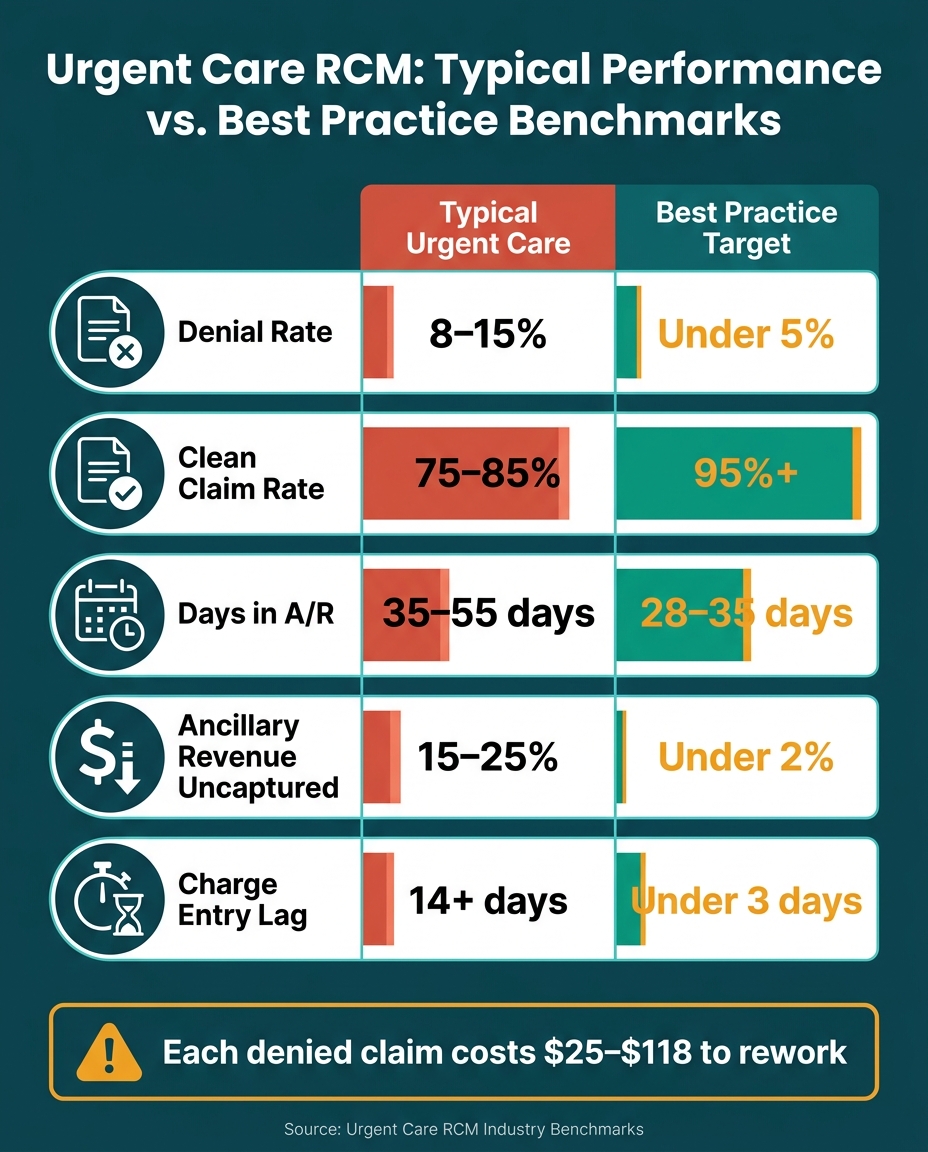
Urgent Care RCM: Typical Performance vs. Best Practice Benchmarks
The revenue cycle starts at check-in. Registration staff collect demographics and insurance details, then a real-time eligibility check confirms active coverage, co-pays, and deductible status before the patient sees a provider. That front-end work matters more than it may seem. If the data is wrong at the start, billing problems tend to show up later. Every handoff plays a part in whether the visit is billed the right way and paid on time.
After the visit, the provider documents the encounter. From there, the system ties clinical notes to charge capture and flags ancillary services like X-rays, labs, or splinting so they don't get missed. Charges then move into coded claims using ICD-10/CPT, with the system assigning the visit level and any needed modifiers. Before the claim goes out, a rules engine checks for bundling mistakes and payer-specific rules. The goal is simple: submit the claim the same day.
On the back end, ERA files post payments and adjustments automatically, which keeps accounts current without staff keying in every line by hand. Denied claims move into a work queue for follow-up, while patient balances shift into text payment links and statements. Dashboards then show the numbers that matter most, including Days in AR, clean claim rate, and payer performance across locations.
Every handoff is a billing risk when systems do not share data.
Urgent care runs fast. Because 70% to 80% of urgent care visits are walk-ins, front-desk teams often work at a sprint. And when speed goes up, mistakes tend to follow. Staff may rekey demographics with misspelled names, wrong insurance IDs, or old policy numbers. Those errors can trigger denials 14 to 30 days later. Eligibility-related mistakes by themselves account for 15% to 20% of all urgent care denials.
Ancillary charges are another steady source of lost revenue. A provider may document a splint or an EKG in the clinical note, but if the clinical and billing systems are split apart, that charge may never reach the billing module. The care was delivered. The claim just never gets built.
Coding issues add another layer. Providers who see 3 to 5 patients per hour often fall into the habit of using mid-level E&M codes no matter how complex the visit was. That can cost a clinic $40 to $80 per visit every time a 99214 gets downcoded to 99213. A wrong Place of Service (POS) code can also stop payment cold. For example, using POS 11 for a freestanding urgent care center instead of POS 20 triggers automatic adjudication denials.
Accounts receivable can slip just as fast. Manual AR work doesn't scale well in an urgent care setting. Unpaid claims sit past the key 21-day follow-up window, and without automated queues that bring aging accounts to the surface, staff end up playing catch-up. In disconnected systems, charge-entry lag can stretch past 14 days. Best practice is under 3 days.
These problems show up in a small set of numbers that tell the story fast.
| Metric | Typical Urgent Care | Best Practice Target |
|---|---|---|
| Denial Rate | 8–15% | Under 5% |
| Clean Claim Rate | 75–85% | 95%+ |
| Days in AR | 35–55 days | 28–35 days |
| Ancillary Revenue Uncaptured | 15–25% | Under 2% |
| Charge Entry Lag | 14+ days | Under 3 days |
These breakpoints point to the features urgent care clinics should prioritize next.
Look for software that brings registration, eligibility checks, and patient payments into one workflow. A simple way to judge whether RCM is actually integrated: staff should be able to handle intake, verify coverage, and collect payment without typing the same information twice.
Run real-time eligibility on every visit, even for returning patients. Insurance coverage changes all the time, and that can lead to avoidable denials. Eligibility-related denials make up 15% to 20% of urgent care claim rejections.
On the payment side, focus on tools that help you collect early, not weeks later. That includes:
This matters because point-of-service copay collection has a 40% higher success rate than post-visit billing, and balances that sit for 90 days are rarely collected.
EHR documentation should flow straight into billing with suggested CPT and ICD-10 codes. It should also flag billable add-ons like X-rays, rapid tests, splints, and sutures, so those charges don't slip through the cracks. After that, the system should validate the claim before it ever leaves the chart.
Two coding issues show up again and again in urgent care.
First, same-day E&M plus procedure visits should trigger a Modifier 25 check. If that doesn't happen, the E&M payment is often bundled away.
Second, E&M level support needs close attention. Look for tools that guide providers through documenting Medical Decision Making (MDM) complexity across all three pillars: problems addressed, data reviewed, and risk. If that support is missing, providers can lose $40 to $80 per visit when a more complex visit should have been billed as 99214.
A claim scrubber should also catch the basics before submission, including:
ERA auto-posting should match payments and adjustments to claims without making staff key in every line by hand. That keeps accounts current and cuts posting mistakes. Denied claims should move into role-based queues by denial reason, so staff can work the highest-priority accounts first instead of bouncing around at random.
Some systems also use AI-driven denial prediction tools to flag claims that are likely to be rejected before submission, based on past payer behavior. That's useful, but staff still need a clear follow-up process for unpaid claims at the 21-day mark.
These workflows only help if the system makes revenue leaks easy to spot. Integrated RCM should help improve clean-claim rate, cut denials, shorten A/R, and pick up ancillary revenue that might otherwise be missed.
Reporting should show A/R aging, payer performance, and location-level dashboards in real time. Role-based access also matters. Front-desk staff should see what's tied to their day-to-day work, while billing managers and operators need the full financial view.
Once you know the core features, the next step is simple: test whether the software fits the way your urgent care clinic actually runs.
Urgent care moves fast. Patients walk in, insurance gets entered, and staff need answers right away. If eligibility checks drag on, the front desk backs up almost at once. That’s why the best test isn’t a sales demo. It’s whether the system can keep up with your clinic’s walk-in pace, payer mix, and same-day billing needs.
Use these questions to see whether the software fits urgent care’s day-to-day workflow. Because urgent care is so walk-in heavy, eligibility should run in seconds after a patient’s insurance is entered.
It’s also worth pressing vendors on a few points that can make or break the billing process:
Those questions get past the polished pitch and into the stuff that affects your staff every day.
After launch, a few numbers will tell you pretty fast whether collections and workflow are moving in the right direction.
| Metric | Definition | Workflow Area Most Affected |
|---|---|---|
| Net Collection Rate | % of collectible revenue actually received | Denial management & patient billing |
| Avg. Reimbursement per Visit | Total collections divided by total patient visits | Coding accuracy & E&M level support |
| Front-Desk Collection Rate | % of copays and deductibles collected at check-in | Registration & eligibility workflows |
| Visits Missing Charges | Encounters with clinical notes but no billed procedures or labs | Charge capture & clinical documentation |
These metrics matter because they point to specific workflow gaps. For example, if front-desk collection rate is low, the issue may sit with registration or eligibility. If visits are missing charges, the problem may be in documentation, ancillary service linking, or charge capture.
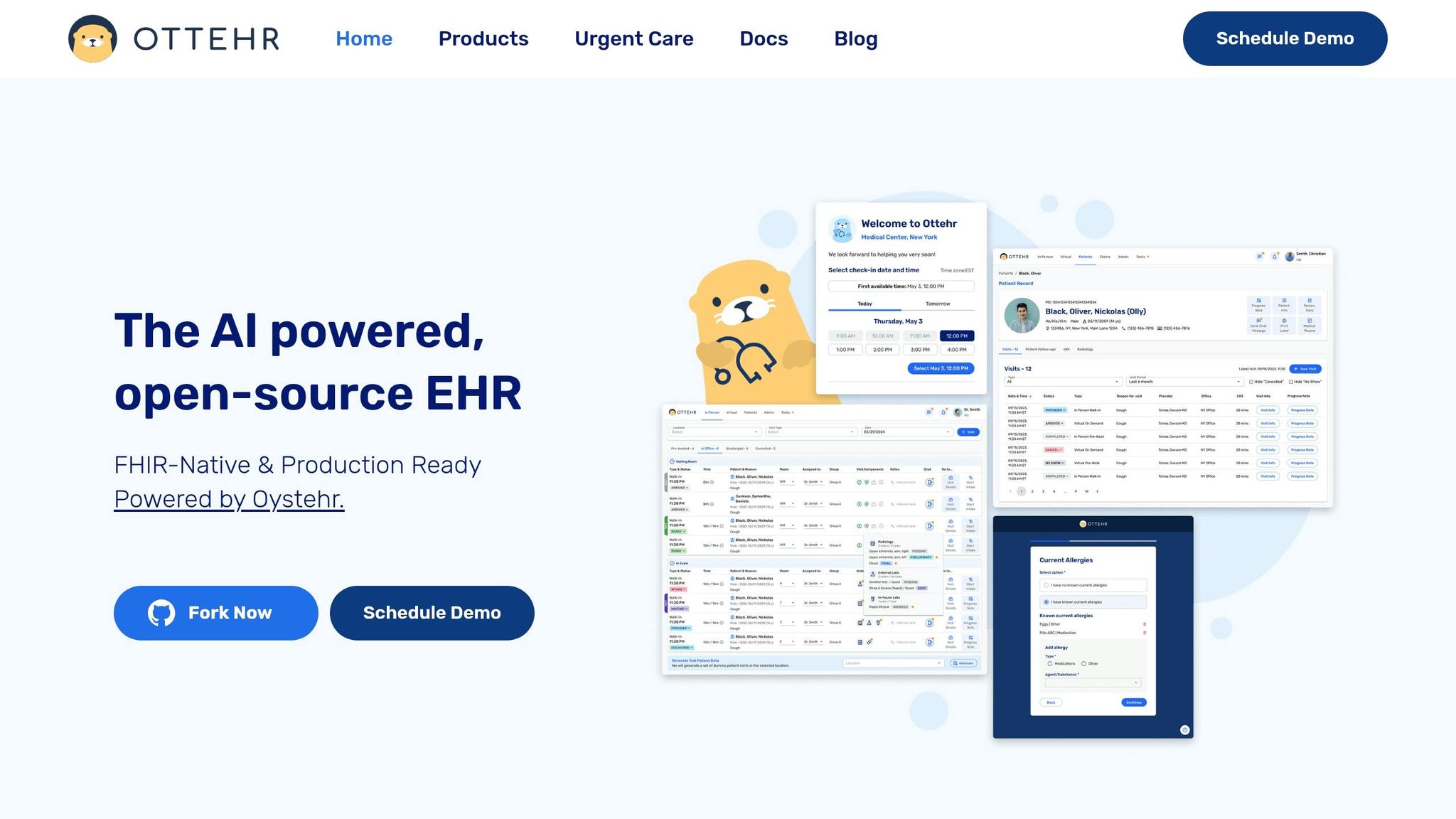
Ottehr is an AI-powered, FHIR-native platform that connects front-desk, clinical, and billing workflows in a single system, and its FHIR and HL7 APIs help data move cleanly between registration, charting, and billing without manual re-entry.
That matters because these modules should function as one revenue cycle, not as separate tools that force staff to bounce between screens and retype the same information.
| Workflow Stage | Ottehr Module | What It Does |
|---|---|---|
| Registration & Eligibility | Ottehr RCM | Automated real-time eligibility verification at check-in; prompts for Good Faith Estimates for self-pay and out-of-network patients |
| Clinical Charting | Ottehr Clinical | Structured documentation that feeds billing workflows |
| AI Ambient Scribing | Ottehr AI | Captures provider-patient conversations and turns them into structured clinical notes |
| Coding Support | Ottehr AI | AI-assisted coding cues, including MDM guidance and Modifier 25 prompts |
| Charge Capture | Ottehr RCM | Links ancillary services such as X-rays, labs, and splinting to billable codes |
| Claims Submission | Ottehr RCM | Daily claim batching with dual-layer scrubbing before submission |
| Denial Management | Ottehr RCM | Categorizes denials by root cause for prioritized follow-up |
| Patient Billing | Ottehr RCM | Card-on-file storage and text-to-pay options |
| RCM Reporting | Ottehr RCM | Real-time reporting for A/R aging, payer performance, and collection metrics |
When those pieces work together, staff spend less time rekeying data, fewer charges slip through the cracks, and claims go out cleaner the first time.
The decision comes down to one thing: does the system keep urgent care billing moving without manual handoffs? That’s the bar.
Integrated urgent care RCM software should link registration, eligibility, documentation, coding, charge capture, claims, payment posting, patient billing, and reporting into one workflow. When those steps live in separate tools or depend on people passing work back and forth, errors pile up fast.
The numbers make the case. Typical urgent care denial rates sit between 8% and 15%, while best-practice targets stay below 5%. Uncaptured ancillary revenue can hit 15% to 25%. And reworking a denied claim can cost $25 to $118. That’s not just admin friction. It’s daily revenue slipping away.
When you evaluate software, start at the front end. Real-time eligibility verification has the biggest front-end impact because it can prevent 15% to 20% of urgent care denials by flagging inactive coverage or out-of-network status before treatment. That one step can save a lot of cleanup later.
Then look at how closely clinical documentation ties to coding and charge capture. If the provider’s note and the billing team sit in a loose, disconnected process, that gap is where downcoding and missed ancillary charges tend to drain revenue without much warning.
After go-live, the system should show results in the numbers fairly fast. Focus on:
Those three metrics will show whether the system is making billing smoother or just adding more moving parts.
Integrated urgent care RCM software cuts denials by automating front-end work and checking data at the point of service. That matters because many claim problems start long before billing. Real-time insurance eligibility checks during check-in can flag bad policy IDs, expired coverage, and coordination of benefits issues before the patient is seen.
The software also helps stop denials on the back end. Automated claim scrubbing and coding tools review diagnosis-to-procedure relationships, modifier use, and documentation errors before claims go out. In plain terms, it’s like having a built-in checkpoint that catches common mistakes before they turn into lost revenue.
The most important urgent care RCM features need to support high-volume, walk-in workflows while also improving financial accuracy.
That usually comes down to a few core capabilities:
In a busy urgent care setting, those features matter because speed and accuracy have to work side by side. If front-desk teams, clinicians, and billing staff are all moving fast, even small gaps can lead to missed charges, denied claims, or delayed payment.
Most urgent care clinics see ROI within one quarter of go-live. The exact timeline depends on two main things: how hard the integration is and the clinic’s payer mix.
In general, clinics can expect a 3% to 5% net revenue lift, along with fewer denials and lower days in accounts receivable. In some cases, clinics moving from outsourced billing can cut AR days by 30% within the first quarter.

Tell us what you need and we'll get back to you soon.