
Match tools to your front-desk bottleneck: intake, payments, messaging, or charting. Cut rework and speed urgent care.
If your front desk is still re-entering patient data, the wrong tool will just move the work around. In urgent care, that matters fast: the article notes that about 30% of patients drop off before finishing long digital intake forms.
If I were choosing between these options, I’d sort them by the main job first:
The main takeaway is simple: pick the tool based on the bottleneck. If your issue is intake, look at form flow and field-level write-back. If it’s payments, check ledger sync and self-pay tools. If it’s communication, focus on messaging and reminders. If it’s charting speed, look at urgent-care-specific workflow.
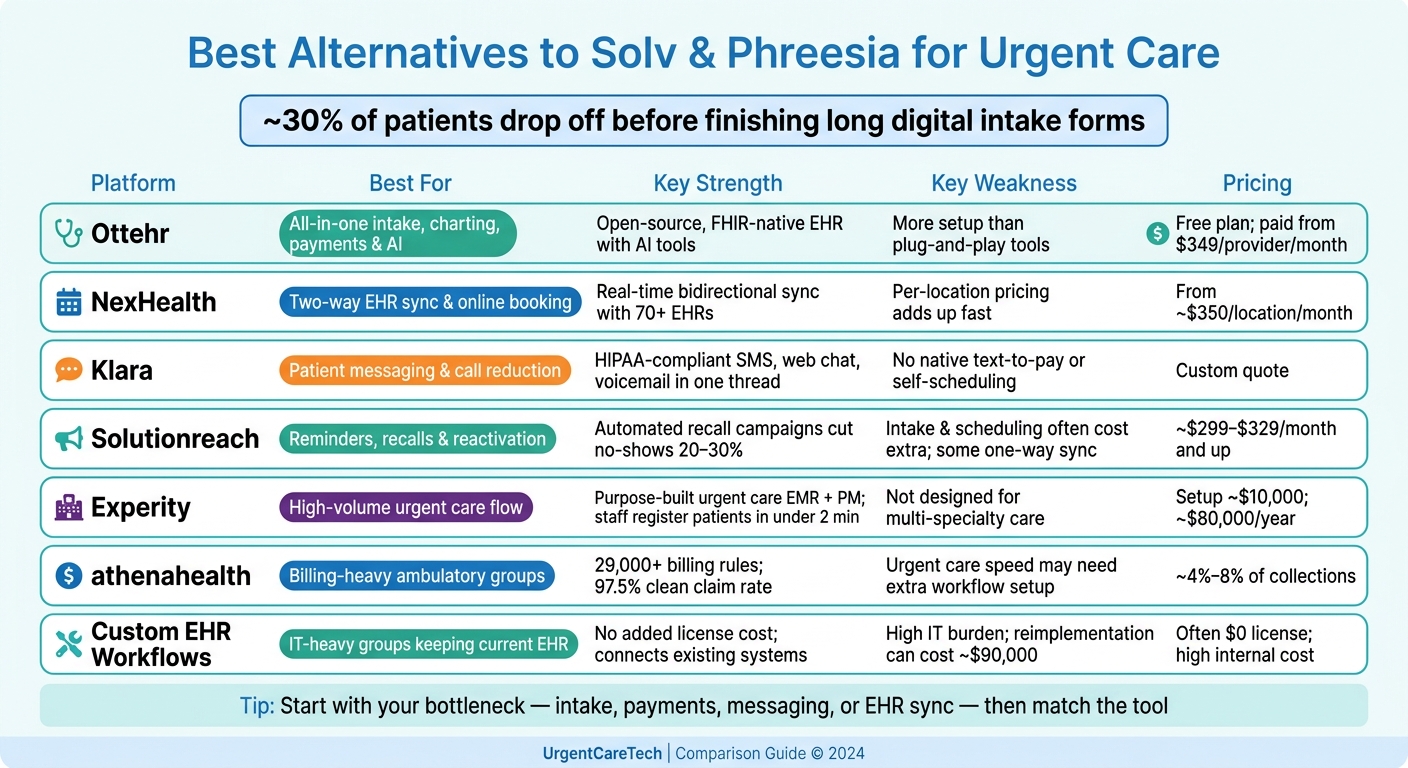
Solv & Phreesia Alternatives: Side-by-Side Comparison for Urgent Care
| Option | Best for | Main limit | Pricing signal |
|---|---|---|---|
| Ottehr | One stack for intake, charting, payments, and AI | More setup than lighter tools | Free plan; paid tiers from $349/provider/month |
| NexHealth | Two-way EHR sync, scheduling, check-in | Per-location pricing can grow fast | From about $350/location/month |
| Klara | Patient messaging and call reduction | Lacks built-in text-to-pay and self-scheduling | Custom quote |
| Solutionreach | Recalls, reminders, and reactivation | Intake and scheduling may cost extra; some one-way sync | About $299–$329/month and up |
| Experity | High-volume urgent care flow | Less fit for multi-specialty care | Total cost can be high; setup may run about $10,000 |
| athenahealth | Billing-heavy ambulatory groups | Urgent-care flow may need partner tools or extra setup | About 4%–8% of collections |
| Custom EHR workflows | IT-heavy groups keeping current EHR | Slower rollout and more upkeep | Often lower license cost, but more internal work |
Before signing, I’d check these three things:
That’s the short version of the article: this is less about “best software” and more about which product removes the most manual work for your team.
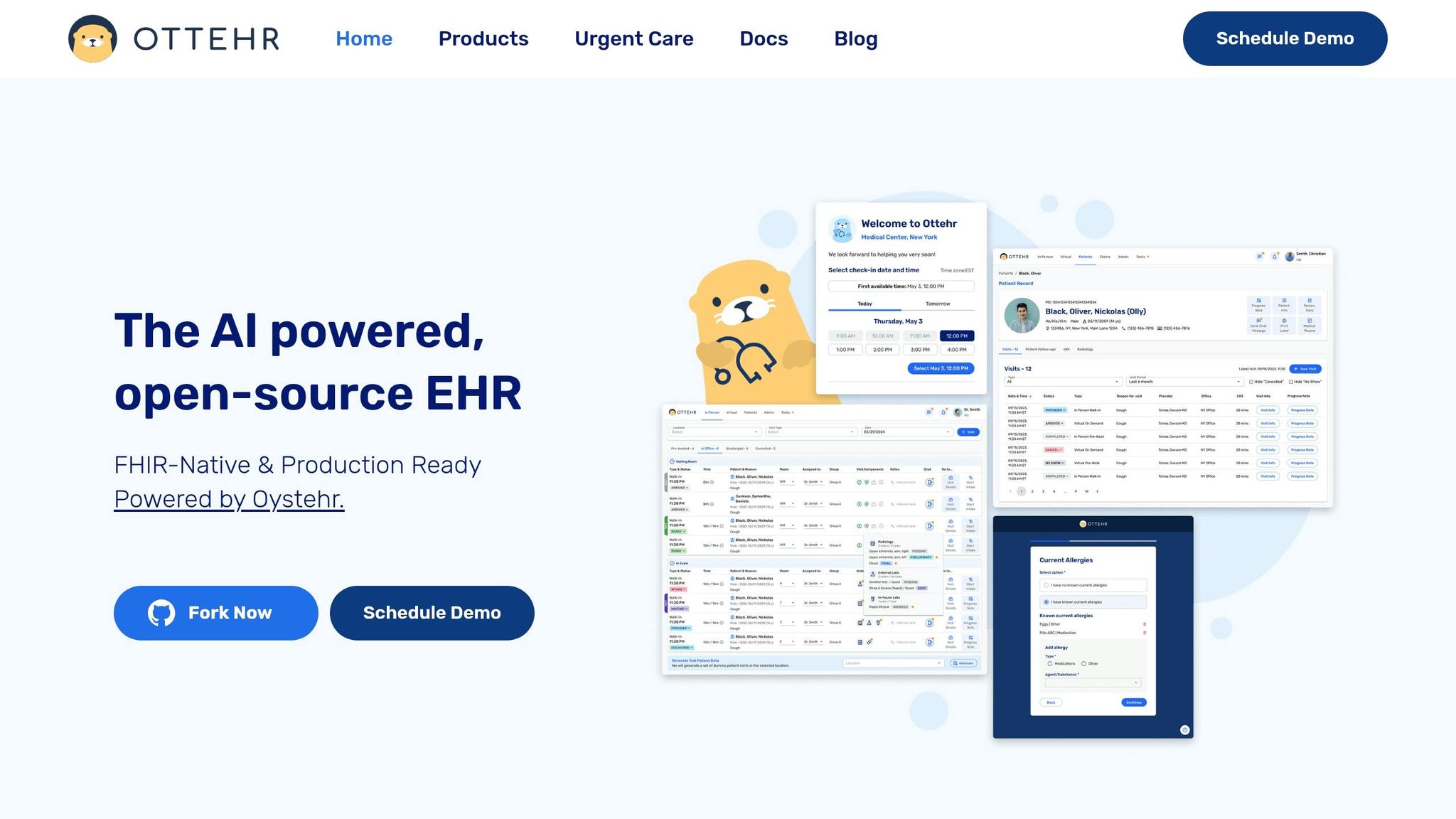
For teams that want to cut intake friction and avoid entering the same data twice, Ottehr centers on structured workflow automation.
Ottehr is an AI-powered, open-source, FHIR-native EHR platform for urgent care and outpatient workflows. It automates scheduling, intake, check-in, consent, messaging, and payments through modular, FHIR R4-based structured data exchange with major EHR systems. That means practices can plug in only the modules they want instead of taking on a full all-at-once setup.
Instead of relying on static PDFs, Ottehr collects intake through structured fields. It also comes with an AI history-taking chatbot, AI ambient scribe, and AI coding support. It supports both in-person and telehealth visits, with electronic paperwork, a patient portal, and SMS communication included. The payoff is pretty simple: less retyping, and intake data can keep flowing into scheduling, documentation, and billing.
The main fit question comes down to scope. Do you want one platform to handle a big part of the workflow, or do you just need the intake layer?
Pricing is public and tiered:
| Plan | Price | Includes |
|---|---|---|
| Ottehr AI | Free | In-person and telehealth visits, electronic paperwork and scheduling, patient portal, basic templates, full charting, tracking board, AI history-taking chatbot, AI ambient scribe |
| Ottehr Clinical | $349/provider/month | Custom branding/domain, customized templates, payment processing, ePrescriptions, radiology integration, diagnostic orders/results, SMS/Fax, and AI coding support |
| Ottehr RCM | $599/provider/month | Claims submission, denial management, fee schedule, patient billing, and RCM reporting |
The free tier covers core EHR functions. Paid tiers add payments, prescribing, and revenue cycle tools.
That makes Ottehr a strong fit for practices that want intake, charting, and billing data moving through one workflow.
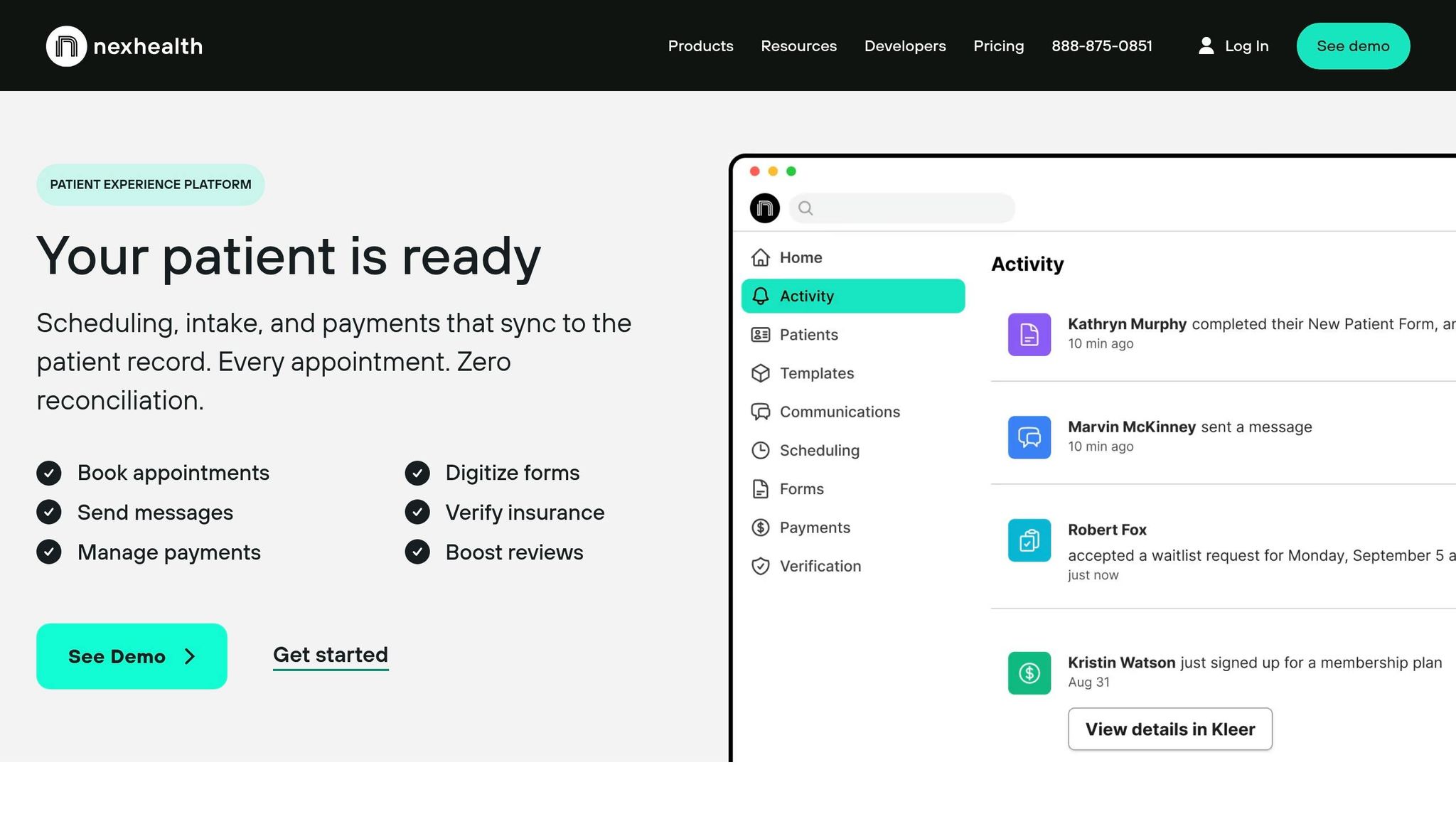
NexHealth is built around real-time, two-way EHR sync. Patient forms, bookings, and check-in details flow back into the EHR/PMS on their own, which cuts down on manual re-entry. It connects with 70+ EHR and practice management systems, including Epic, Cerner, athenahealth, eClinicalWorks, and NextGen, through its Synchronizer API. So if your group already runs on an EHR/PMS and wants the front desk workflow to stay in lockstep, NexHealth makes a lot of sense.
For urgent care teams, NexHealth includes online scheduling, digital intake, mobile check-in, SMS reminders, waitlists, and automated appointment reminders. That waitlist tool is especially handy when you need to fill canceled slots without a bunch of back-and-forth.
On the payments side, NexHealth supports text-to-pay, card-on-file, online payment links, and real-time insurance eligibility checks. Payments also sync back to the EHR/PMS ledger on their own. One catch: partial payments are limited to balances above $1,000, which can be a poor fit for smaller copays.
Pricing starts at about $350 per month per location, with month-to-month contracts and no cancellation fees for non-enterprise plans. That sounds simple enough, but multi-site operators should run the numbers with care. A per-location model can add up fast.
NexHealth holds a 4.8/5 rating on G2. The main complaints tend to focus on sync lag, failed updates, and a steep learning curve once you get into advanced workflows. Support is also ticket-based, so during busy hours, practices usually need strong internal super-users who can step in and sort things out fast.
If your top goal is tighter messaging and follow-up, the next options lean less on sync-first automation and more on patient communication.

Klara is built around patient messaging. For urgent care teams dealing with nonstop calls at the front desk, that can take some pressure off by putting reminders and patient conversations in one place.
It brings together SMS, web chat, and voicemail transcription in a single thread. Patients get a text with a web link, fill out intake forms in their browser, and message the clinic back and forth without downloading an app or signing into a portal. That setup works best when those messages and form responses flow straight into the EHR.
Klara also offers bi-directional sync with major EHRs, including athenahealth and ModMed. For athenahealth users, patient-submitted data writes back into the practice management system. And for practices using ModMed, Klara offers its closest EHR integration.
That said, Klara has some limits if you need more than messaging. It does not include native text-to-pay, ledger sync, or real-time self-scheduling. Users also mention integration friction and slow support. Pricing is not listed in public and requires a demo to get a quote, and community feedback says it can feel expensive for smaller or solo practices.
So the fit is pretty clear: Klara works best as a messaging layer, not as a full front-desk platform.
If phone volume is just one piece of the problem, a broader intake and scheduling tool makes more sense.
Solutionreach is built more for scheduled outreach than for intake or front-desk workflow. Its main job is reminders, recalls, and reactivation. It connects with 500+ practice management and EHR systems. For urgent care teams, that sets up the main decision point: is scheduled outreach enough, or do you need intake to move deeper into the chart too?
That matters because many of these connections are one-way. A reminder may sync without much trouble, but intake details and payment data can still leave staff doing manual cleanup later. Before signing, practices should check whether a given EHR connection is read/write or read-only.
On the patient side, Solutionreach supports contactless check-in through text or email, plus tablet-based review at check-in. Where it tends to stand out is no-show reduction and reactivation. ASAP Waitlist helps fill canceled slots, and recall campaigns have been reported to cut missed appointments by 20% to 30%.
It also includes SR Pay, which sends secure payment links by text and email so patients can pay online. But in most cases, that payment flow runs outside the chart.
For urgent care operators, there’s one catch: online scheduling and digital intake forms are often sold as paid add-ons, not standard parts of the platform. Pricing starts at about $299 to $329 per month and can climb to $1,500+ for larger organizations, usually with annual contracts.
So the best fit here is a practice that already has intake and scheduling covered and wants Solutionreach mainly as a patient engagement and retention tool. If your main goal is deeper front-desk automation, this may feel a bit narrow.
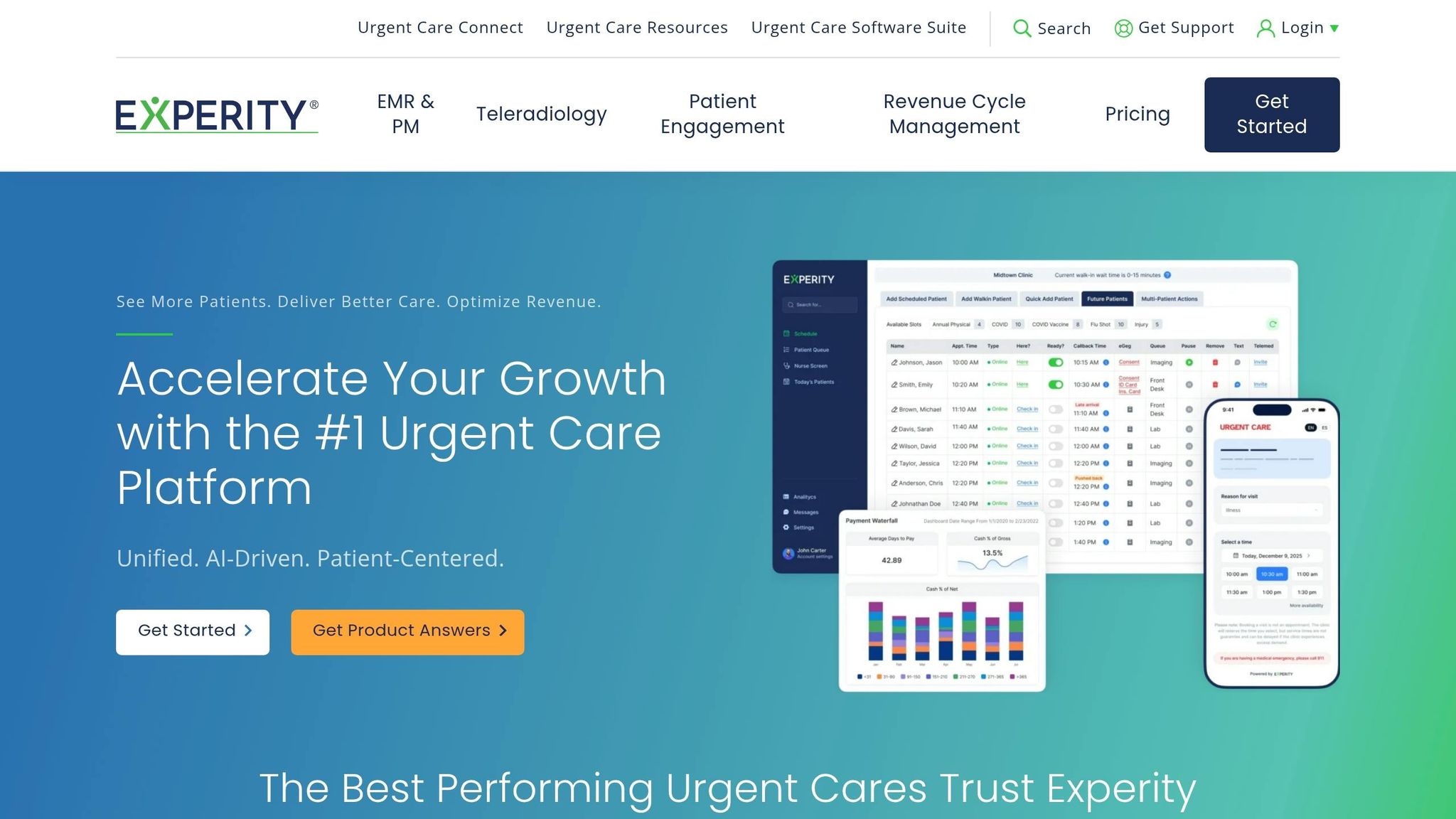
Experity is a better fit for groups that want one system for front desk work, charting, and billing instead of stitching together separate tools. It’s built around urgent care speed, with EMR, practice management, and patient engagement tied into a single workflow.
A big part of that setup is eRegistration. Patients can fill out forms on their own devices before they arrive, and that information flows straight into the EMR. That cuts down on manual entry and helps avoid mistakes. Staff can register patients in under 2 minutes, and patients can finish intake in under 8 minutes. Pair that with smart queuing, which gives patients live wait-time updates and SMS alerts when it’s time for their visit, and the system has been shown to cut wait times by 80%.
On the clinical side, Experity leans on template-based charting. Providers can document 80% of common urgent care visits in under 60 seconds. For a busy urgent care, that kind of speed can make a big difference.
Its billing flow is built for faster collections too. Real-time eligibility, or RTE, runs at check-in so staff can collect copays and unpaid balances right away. Text-to-pay brings in payments at about 2x the speed of standard billing, and Experity says its coding engine has led to an average 10% revenue increase per patient encounter.
That said, Experity works best for urgent care, not broad multi-specialty operations. It also does not follow patients across settings. Reporting is another weak spot. Users often say the built-in BI tools don’t go deep enough for advanced financial tracking.
On cost, pricing starts at $2.20 per user per month. Implementation for a two-clinic setup runs about $10,000, and yearly software costs are estimated at roughly $80,000. The best match here is a multi-location urgent care group that needs the same fast, standardized patient flow across sites.
athenaOne is a broad cloud EHR that combines practice management and revenue cycle management. It’s built for large ambulatory groups and can be set up with condition-specific encounter plans, plus macros and templates, to help teams move patients through the system faster. In plain terms, it works best for groups that want tight back-office control more than front-desk specialization.
Where athenahealth stands out is its RCM engine. It uses more than 29,000 automated billing rules to catch errors before claims are submitted, which helps it reach a 97.5% clean claim submission rate on the first pass. For urgent care operators, that can cut denial-related rework and speed up collections.
On the patient side, athenahealth’s built-in self-scheduling reaches a 44% patient adoption rate and reduces phone volume by 48%. The platform also supports digital intake forms that pre-fill patient charts and automated insurance eligibility checks at check-in.
That said, if your urgent care operation depends on real-time queuing or same-day intake, athenahealth often needs workflow setup changes or a Marketplace partner to handle it. So there’s a tradeoff here: you get broad ambulatory depth, but urgent-care-specific speed may call for a more tailored workflow layer.
Pricing usually falls between 4%–8% of collections, with a minimum floor of about $140 per provider per month. Implementation tends to take 8–12 weeks and costs between $30,000 and $100,000 for mid-market groups.
If your goal is to keep your current EHR and automate only the front-desk gaps, custom EHR-based workflows are the next path.
When an urgent care group already has an EHR, the big question is simple: do you automate inside the system you have, or add another layer on top?
If the goal is to stick with the current EHR, the choice usually comes down to build vs. buy. For organizations with in-house IT, native EHR modules can cost less at the start. In many cases, there’s no added license fee at all. Third-party platforms, on the other hand, often cost $300 to $1,200 per month.
That lower up-front cost comes with a catch. Native EHR workflow setups usually take 30 to 90 days to get running, and more complex bidirectional integrations can drag out to 7 to 12 months. A third-party automation platform can often go live in just 5 to 10 days. That gap matters in urgent care, where teams need fast, episodic workflows, not a primary care setup built around long-term follow-up. So while custom EHR workflows can work, they tend to make more sense for IT-heavy groups than for teams that need speed.
This route tends to fit hospital-affiliated groups, clinics with strong portal adoption, or hybrid urgent care-primary care models. But the bigger issue usually shows up later: maintenance. If you build custom workflows and then switch EHR vendors, the average reimplementation cost is $90,000. And that’s not a fringe case. About 23% of practices change their EHR within five years. Custom development costs also vary by EHR. Without dedicated analysts in place, even small breaks in the workflow can turn into day-to-day operational problems.
The side-by-side view makes the trade-offs a lot easier to see.
| Factor | Custom EHR-Native Workflow | Third-Party Platform |
|---|---|---|
| Incremental License Cost | Often $0 | $300–$1,200/month |
| Implementation Time | 30–90 days | 5–30 days |
| Urgent Care Fit | Limited; requires heavy configuration | High (purpose-built for walk-ins) |
| Vendor Lock-in | High | Low |
| IT Burden | High; requires internal analysts | Low (vendor-managed) |
No platform works for every workflow. The right pick comes down to the operational problem you need to fix first.
The biggest gaps usually show up in three places: intake, payments, and EHR sync. That’s where these tools start to separate from each other.
| Platform | Key Strength | Key Weakness | Best-Fit Profile |
|---|---|---|---|
| Ottehr | Open-source, FHIR-native EHR with intake, scheduling, telehealth, and AI tools | Needs more configuration than plug-and-play tools | Practices that want an all-in-one, customizable stack |
| NexHealth | Real-time bidirectional EHR sync reduces front-desk re-entry during surges | Per-location pricing adds up for multi-site groups | Multi-location outpatient clinics prioritizing digital check-in and online booking |
| Klara | HIPAA-compliant messaging and triage for practices where texting is the main patient touchpoint | No native pre-visit payment tools | Specialty practices where messaging matters more than collections |
| Solutionreach | Automated recare, mass messaging, and recall campaigns | PDF forms still require manual entry | Small-to-mid-size primary care or dental groups focused on retention |
| Experity | Purpose-built urgent care EHR with a real-time occupancy board and templates optimized for high-volume walk-in flow | Not designed for multi-specialty or cross-setting care | High-volume urgent care centers needing complaint-driven charting and occupational medicine billing |
| athenahealth | Native all-in-one suite with 29,000+ billing rules to catch errors before submission | Patient check-in experience is less differentiated for urgent care | Large groups or hospital-affiliated centers with complex payer mixes and billing-heavy operations |
| Custom EHR-Based Workflows | Can connect disparate systems without per-provider licenses | High IT burden and slower to deploy | IT-heavy hospital-affiliated groups or hybrid urgent care–primary care models with dedicated analysts |
Put simply, don’t start with the platform. Start with the bottleneck.
If your team keeps re-entering data at the front desk, NexHealth may make more sense. If patient texting drives most of your communication, Klara lines up better. If recall and reactivation are the bigger issue, Solutionreach fits that job. And if you need urgent care charting built around fast walk-in volume, Experity is aimed right at that use case.
For groups that want one stack they can shape around their own process, Ottehr’s open-source healthcare modules stand out. For groups dealing with dense billing rules and payer complexity, athenahealth is often the better match. And if you already have analysts, internal IT support, and a mix of systems that need to work together, Custom EHR-Based Workflows can bridge those gaps without per-provider licenses.
That makes the final decision a lot simpler: match the tool to the workflow bottleneck, not the other way around.
No platform fits every workflow. The best choice depends on your biggest bottleneck: urgent care throughput, billing, messaging and follow-up, or EHR sync.
Once you know where things are getting stuck, check three details before you sign anything.
Those checks matter more than any demo.
These platforms solve different workflow problems. Pick the one that takes the most manual work off your front desk.
Look at the pressure on your front desk and how well the clinic moves from one step to the next. If staff still rely on paper sign-in sheets, photocopy insurance cards, or type patient details in by hand, manual intake is probably slowing things down.
A few signs tend to show up fast:
Ask how patient-submitted data shows up in your EHR: does it land as structured data in the right fields, or does it just arrive as a PDF or an unstructured note?
That detail matters more than it seems. When data maps at the field level, your team spends less time copying information by hand, and there’s less room for data entry mistakes.
On the flip side, PDF delivery or basic API/Zapier setups that only dump info into notes fields can create extra work. Staff often end up re-entering the same details anyway.
That’s why it makes sense to prioritize native, bi-directional integration built for your specific EHR.
Don’t stop at the base monthly subscription fee. The sticker price rarely tells the whole story.
You’ll also want to factor in setup or implementation fees, which often run from $2,000–$5,000. If the platform requires dedicated tablets, add hardware costs too. And watch for variable charges, such as per-message or per-provider fees, since those can add up fast.
There’s another cost that’s easy to miss: administrative work. If a platform doesn’t offer structured EHR field-level integration, staff may end up re-entering data by hand. That extra work eats into productivity and pushes operating costs higher.

Tell us what you need and we'll get back to you soon.