
Practical steps to standardize intake, triage, documentation, handoffs, and KPIs across multi-site urgent care clinics.
If you run 10+ urgent care clinics, one weak workflow can drag down the whole group. I’d focus on five areas first: intake, triage, documentation, handoffs, and discharge.
Here’s the short version:
The numbers make the case. One multi-site urgent care group had a 26% missed call rate, with 16,028 callers hanging up in one month before standardizing intake. After rolling out a shared intake process, it got back 208 staff hours in one month. The article also points to targets like registration in under 2 minutes, door-to-triage in under 5 minutes, and charting in under 60 seconds for 90% of common visits.
What I like here is the order of work: don’t start with software. Start with the workflow, assign an owner for each process, test changes at 1–2 pilot sites, then roll out site by site over about 6–12 months.
Quick overview:
If I had to reduce the article to one idea, it would be this: build one standard way of working, measure it every month, and fix drift fast. That’s how you keep care and throughput aligned as the network grows.
Map the patient journey once. Then standardize the steps that create variation across every clinic.
Before you touch an EHR template or rewrite a policy, map how patients actually move through each clinic today - not how the process is supposed to work on paper.
Start with every clinical action from arrival through follow-up. Look at how front-desk staff collect insurance and consent, how nurses record vitals, how providers place orders, how lab results move back through the system, and how long it takes a physician to review them.
The point is simple: get a clear picture of current practice at each site. Mark every handoff, especially when a patient moves from intake to an exam room or from a provider to lab or imaging. That’s usually where delays and mistakes stack up.
Map the workflow first, then shape the EHR around those steps. If you want reporting to stay consistent across 10+ locations, you need shared status labels like Registered, Triage Complete, Charting In Progress, and Discharged. Without those shared states, your KPI data won’t line up. You’ll be comparing apples to oranges.
Use the mapped steps to spot where variation causes the most delay, risk, or rework.
Start with the workflows that show up the most and carry the most risk: intake, triage, documentation, handoffs, and discharge.
Begin with intake. When intake varies, problems spread through the rest of the visit. Common trouble spots include inconsistent web check-in fields and uneven consent capture across sites.
Then move to triage. If one clinic records vitals in different units or captures the chief complaint differently, the clinical record gets messy fast and charting slows down. Standardizing complaint-driven charting is what enables providers to document 90% of common visits in under 60 seconds.
After that, tighten up documentation, order handoffs, and discharge. Standard encounter templates keep charting aligned. Clear order ownership cuts delays. Standard discharge instructions make follow-up measurable across the network.
Turn the workflow map into a working matrix so every site is held to the same standard.
Once the journey is mapped and the priority workflows are clear, put everything in one place. A workflow matrix gives operations directors one view of where standards exist, who owns each process, and where gaps still sit across locations.
| Core Workflow | Standard Template | Primary Role Owner | Key Statuses | KPI |
|---|---|---|---|---|
| Intake & Registration | Digital Registration Form | Front Desk / Admin | Registered, Insurance Verified, Consent Signed | Registration time < 2 min |
| Triage | Vitals & Chief Complaint | LPN / MA | Triage Complete, High-Risk Alert | Door-to-triage time < 5 min |
| Provider Documentation | Complaint-Driven Chart | Physician / PA / NP | Charting In-Progress, Signed, Co-signed | Charting time < 60 sec for 90% of visits |
| Orders (Labs / Imaging) | Lab / imaging workflow | Provider / Lab Tech | Ordered, Collected, Resulted, Reviewed | Order-to-result turnaround time |
| Discharge & Follow-up | Standard Instruction Set | Provider / Nursing | Instructions Provided, Referral Sent | Patient satisfaction / NPS |
| Follow-up & Referrals | Referral tracking | Care Coordinator | Pending, Scheduled, Completed | Referral loop closure rate |
This matrix becomes the baseline for template design, role ownership, and KPI tracking.
Build it with the people who use these workflows every day. Run it by front-desk leads, nurses, and providers at each site before you finalize anything. That step often surfaces unapproved workarounds. And those workarounds usually tell you the same thing: the current system has gaps, and those gaps can quietly wreck cross-site consistency.
Use frontline input to surface those workarounds before you lock the standard.
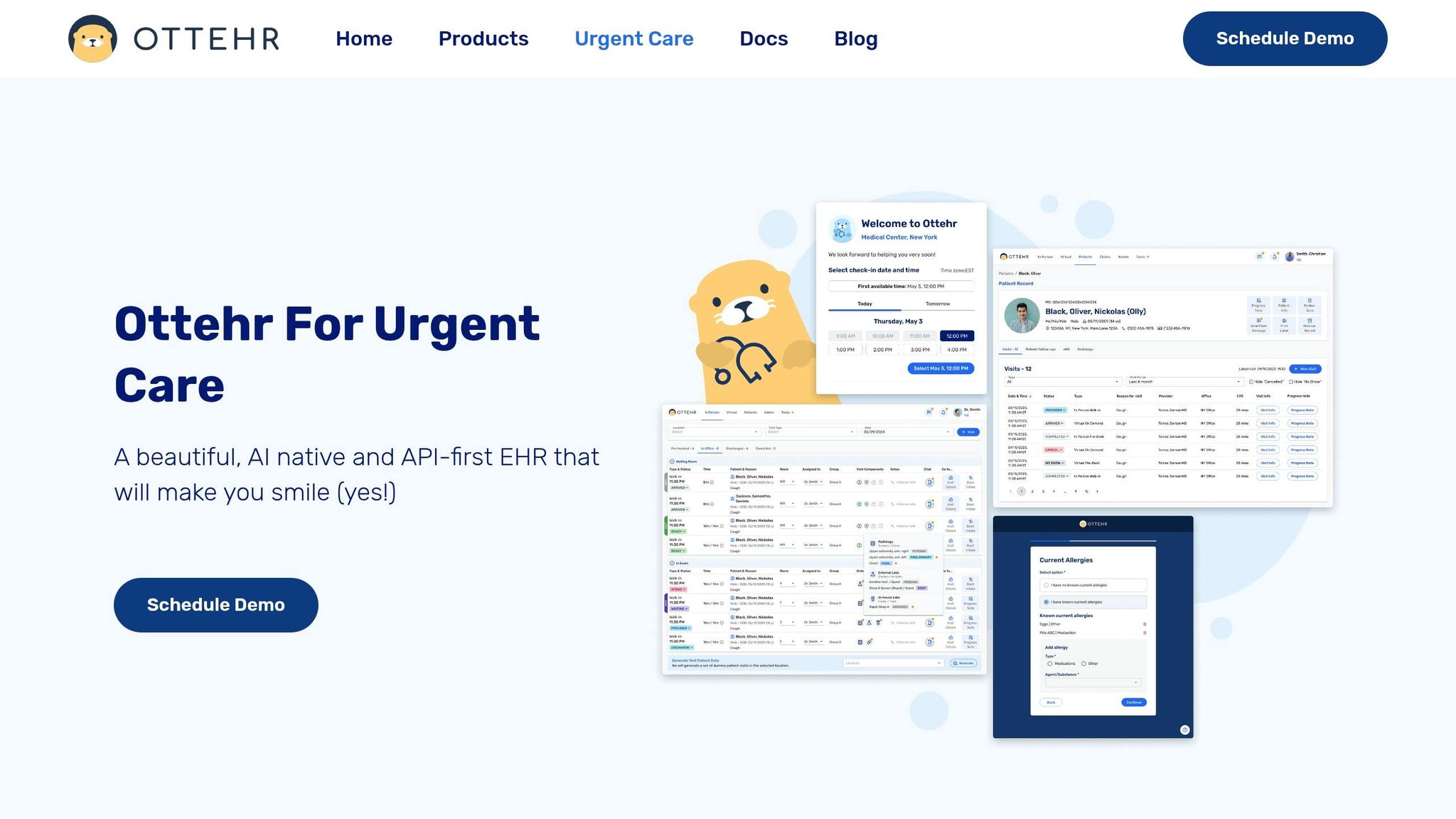
Use the workflow matrix to set up shared templates, permissions, and status rules in Ottehr across every clinic. In plain terms: build the system once from the matrix, then apply it across sites instead of setting things up clinic by clinic.
Ottehr's registration and scheduling tools let you place registration right inside the patient check-in flow. That matters because the first few minutes of a visit often set the tone for everything that follows.
Use shared intake templates with prefills for returning patients to make registration more consistent and cut down on errors. The tracking board gives every site the same view of patient status and movement, while task queues make ownership clear at each step. No guessing. No handoff confusion.
Customizable clinical templates keep the note structure fixed for each visit type, so providers document in the same format from site to site. That same structure can then guide triage, orders, and discharge, which helps each clinic work from the same playbook.
Role-based permissions help keep front-desk, nursing, and provider work separate. That's a big deal in busy clinics, where blurred responsibilities can slow things down or create mistakes.
MAs and nurses can follow standard triage protocols and start approved lab or imaging orders before the provider enters the room. Providers then handle the assessment, charting, and discharge workflow.
For lab and imaging handoffs, build standard order sets so results flow straight back into the patient record. Referral documentation and follow-up tasks can be tracked through task queues, and integrated SMS and fax keep referrals and follow-ups in one system of record.
Use Ottehr AI to make HPI capture, ambient note drafting, and ICD-10 suggestions more consistent across sites. Documentation inconsistency creates variation across the network, and 85% of clinicians report spending more than one hour daily on administrative tasks that could be minimized with better software.
Here’s how those tools fit into day-to-day work:
"By developing templates, automating repetitive tasks, and tailoring data input fields, organizations can ensure the system supports clinicians in their day-to-day activities without adding unnecessary friction."
Reporting dashboards let you compare completion times, missing fields, and coding variation across sites so you can spot drift early. If one clinic starts documenting differently or leaves out key fields, you'll see it fast instead of months later. Use reporting to flag drift, then retrain teams and reset the standard.
Once the standard is live, lock it down with KPIs, training, and audits.
Templates and protocols don’t stay in place on their own. They need clear ownership, shared targets, and routine checks across every site. If that structure is missing, each clinic starts adding its own workarounds, and the whole system drifts. Use the workflow matrix as the source of truth for owners, metrics, and audits.
Each major workflow area - intake, triage, documentation, orders, and discharge - should have one named network owner. If no one owns a process, changes tend to happen off to the side, and every clinic ends up doing things a little differently.
Review changes centrally, test them at one site for 1–2 weeks, and then approve the rollout across the network. Regular admin meetings help keep this moving. Use those meetings to manage the roadmap, review pending updates, and track open changes.
Standardization means a lot more when you can see it in the numbers. The table below shows the main KPIs to watch and what “good” should look like once shared workflows are in place.
| KPI | Pre-Standardization (Typical) | Post-Standardization Target |
|---|---|---|
| Door-to-provider time | High variation across sites | < 15–20 minutes, consistent |
| Total visit length | Fragmented or untracked | Reduced by 15–20% |
| Left-without-being-seen (LWBS) rate | Elevated during peak variation | < 2% across all clinics |
| Documentation time / admin burden | High and variable by site | < 30 minutes admin per provider/day |
| Coding accuracy / denial rate | High due to manual entry | Lowered via shared templates |
| Test follow-up closure | Site-dependent | 100% closure within 48 hours |
| Patient registration time | Inconsistent | < 2 minutes |
Pull these numbers from Ottehr’s reporting dashboards each month. If a metric misses the mark, review it that same month with the process owner and assign corrective action right away. Put simply: when a KPI slips, the process owner is responsible for fixing it.
Training works better when it matches the job. Plan for 2–4 hours of initial training per user, split by role. Admin staff should focus on system configuration and user management. Clinical staff should cover documentation workflows, order entry, and e-prescribing. Billing staff should work through claim submission and denial management.
A competency checklist for each role makes this concrete. That way, staff aren’t just showing up for training - they’re being signed off based on a clear pass/fail standard.
After go-live, make refresher training mandatory at the 30-day and 90-day marks. The 30-day session helps catch early friction and repeat mistakes. The 90-day session deals with workflow drift after the initial push wears off. It also helps to name one super user at each clinic who can help staff on the floor between those sessions.
Monthly chart audits should review chart quality, order management, and referral follow-up closure. When an audit surfaces a problem, send it back into coaching and template updates, then route any protocol changes through the change control process. Those audit findings should shape retraining, template revisions, and the next rollout cycle. They also give you a chance to reset the standard before the next phase begins.
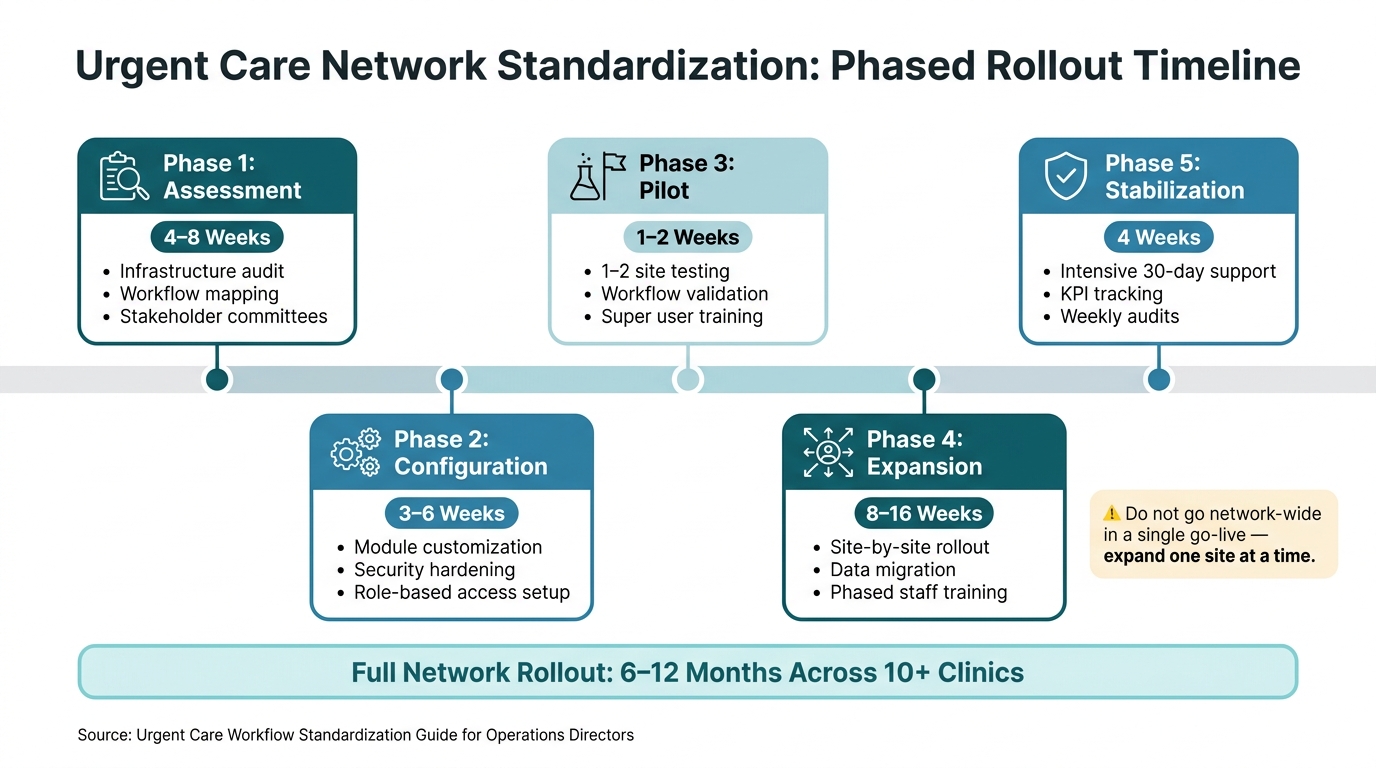
Urgent Care Clinic Standardization Rollout: Phase-by-Phase Implementation Timeline
Once the workflow standard is set, roll it out in stages so you don't choke throughput or lose staff buy-in.
A full rollout across 10+ clinics usually takes 6–12 months. Don't flip the switch across the whole network at once. A phased rollout keeps risk under control.
| Implementation Phase | Key Activities | Estimated Timeline |
|---|---|---|
| Assessment | Infrastructure audit, workflow mapping, stakeholder committees | 4–8 weeks |
| Configuration | Module customization, security hardening, role-based access setup | 3–6 weeks |
| Pilot | 1–2 site testing, workflow validation, super user training | 1–2 weeks |
| Expansion | Site-by-site rollout, data migration, phased staff training | 8–16 weeks |
| Stabilization | Intensive 30-day support, KPI tracking, weekly audits | 4 weeks |
The pilot needs to show that the standard holds up in live clinic conditions before you move any farther. During this phase, confirm that web check-in fields flow into the EHR the way they should.
After that, expand one site at a time instead of going network-wide in a single go-live. For each new location, plan for on-site or immediate support during the first 30 days after launch. It also helps to keep physicians involved in design, testing, and go-live calls. That step can ease adoption issues before they turn into bigger problems.
Once go-live settles down, move from launch support into steady performance management. Review KPIs weekly for the first 30 days, then shift to a monthly cadence.
Each month, pull the KPI data and flag any site that falls outside the target range. If a metric slips, the process owner should dig into it that same month. Is the issue a training gap? Does a template need to be updated? Is a workflow step getting skipped?
Send every workflow change through the same change-control gate before release, then audit the sites affected by that update. Also plan for annual maintenance costs equal to 15–25% of your initial implementation investment.
Standardizing workflows across 10+ urgent care clinics comes down to a few non-negotiable parts working together: map the patient journey, standardize the workflows that matter most, track performance against a shared KPI set, train staff by role, and audit on a set schedule to catch drift.
Governance, KPIs, and audits are the pieces that keep the network aligned long after launch. The operations directors who keep that system in place are the ones most likely to keep care delivery consistent as the network grows.
Start by mapping the clinical work from check-in to discharge, including lab and imaging handoffs. That gives you a clear picture of where delays, duplicate steps, and charting gaps tend to show up.
From there, standardize the EHR pieces that shape day-to-day consistency. In plain terms, that means aligning intake forms with documentation templates and shortcuts so staff aren’t bouncing between mismatched workflows.
For rollout, train each role inside the live EHR so people learn in the system they’ll use every day. Lean on super-users for at-the-elbow support, pilot the setup before a full launch, and watch KPIs such as door-to-provider time, wait times, utilization, data accuracy, and denial drivers.
Standardize patient intake first. If that step varies from site to site, the problems tend to pile up fast later on.
Start by lining up check-in data capture and routing rules for clinical acuity exceptions. Then make sure intake data moves into the EHR as structured chart data, so staff don't have to retype it.
Use consistent templates and digital forms with real-time insurance eligibility checks. From there, connect the workflow to your EHR so visit records and follow-up tasks begin automatically.
That setup also makes it much easier to measure door-to-provider time and check-in errors across sites.
Use a tight governance-and-feedback loop. Train staff on the standardized workflow and on exception handling so teams deal with variances the same way every time.
Track real-time dashboards and review KPIs each week. Then run deeper audits every 60–90 days to spot site-level drift in performance, wait times, and error rates before it turns into a bigger headache.
Regular workflow audits also help trim bottlenecks and duplicate steps, especially when clinicians and operations teams both have input. That mix matters. One group sees what slows care down at the front line, while the other sees where process gaps pile up behind the scenes.

Tell us what you need and we'll get back to you soon.