
A unified urgent care EHR + PM cuts duplicate entry, speeds billing, and lowers denials with AI and real-time eligibility.
If your urgent care EHR and practice management tools do not share one record, staff lose time and claims are more likely to go out wrong. I’d boil the article down to this: one connected system helps move the same visit from check-in to charting to billing without extra typing, while AI tools, live eligibility checks, and reporting help clinics cut delays and watch cash flow more closely.
Here’s the short version:
A few numbers stand out:
| Area | What it covers | Why it matters in urgent care |
|---|---|---|
| EHR | Notes, triage, orders, eRx, follow-up | Keeps the clinical visit moving |
| Practice management | Scheduling, intake, eligibility, billing, claims | Keeps front desk and revenue flow on track |
| Combined system | Shared patient and visit data | Cuts re-entry, claim errors, and slow handoffs |
My takeaway: if you’re choosing urgent care software, I’d look for one platform that connects intake, charting, coding, claims, and reporting in a single flow, instead of patching those steps together with separate tools.
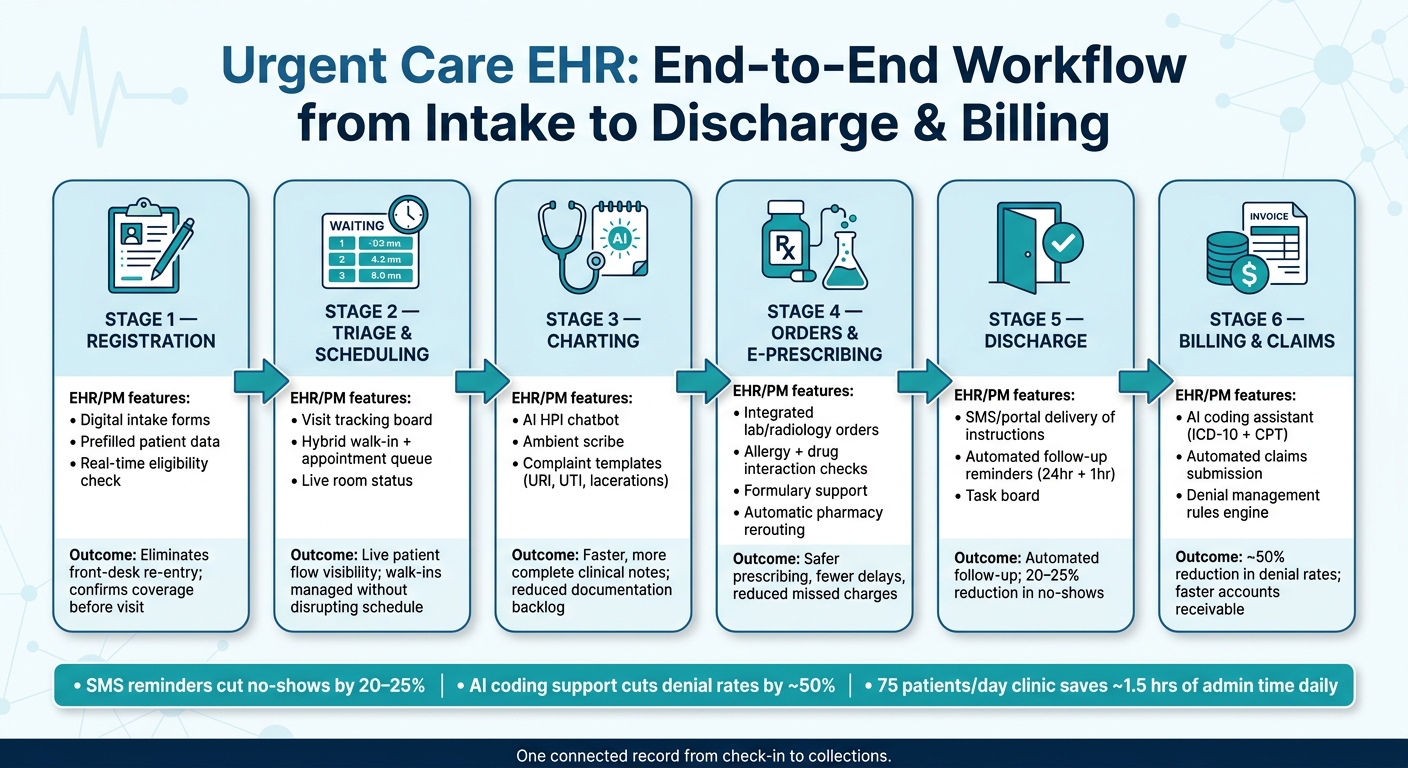
Urgent Care EHR Workflow: From Intake to Claims in One Connected System
From intake to discharge, the workflow should live in one record.
The visit begins before the patient walks through the door. Patients fill out demographics, insurance, consent, and medical history in a single digital intake form. If they’ve been seen before, that data is prefilled from the existing record, which cuts down on manual entry mistakes.
As soon as insurance data is entered, the system runs a real-time eligibility check. That confirms active coverage and gives staff an estimate of patient responsibility. So the front desk can see coverage status before the visit gets underway.
Once check-in is done, staff need a live view of where each patient stands. A visit tracking board shows each person’s place in the visit cycle: waiting, triaged, seen, or ready for discharge. It also makes it clear where notes and orders need attention next.
For charting, templates for common complaints like URI, UTI, and lacerations help move documentation along. An AI HPI chatbot gathers history before the provider steps in, and an ambient scribe drafts the note during the visit. Labs, imaging, and procedures are ordered right from the chart.
E-prescribing adds another layer of support. It includes automated allergy checks, drug interaction checks, and formulary support. And if one pharmacy is out of stock, the prescription can be sent to another location without extra back-and-forth.
When the encounter closes, the work shifts from charting to instructions and follow-up. Standardized discharge instructions come straight from the encounter and can be sent through the portal or by SMS. Those instructions, along with results and follow-up tasks, stay linked to that same encounter.
Lab and imaging results flow back into the chart and can trigger patient alerts through SMS or the portal. That can cut callback work for staff. Follow-up reminders at 24 hours and 1 hour can reduce no-shows. Post-discharge tasks stay on one task board.
After discharge, the same visit data should move into billing and claims without extra re-entry.
These functions line up with each step in the workflow:
| Workflow Stage | Key Feature | Outcome |
|---|---|---|
| Registration | Digital forms, prefilled data | Eliminates front-desk re-entry |
| Eligibility | Real-time insurance validation | Confirms coverage before the visit |
| Triage | Visit tracking board | Live patient flow visibility |
| Charting | AI HPI chatbot, ambient scribe, complaint templates | Faster, complete notes |
| Orders & eRx | Integrated orders, interaction checks, formulary support | Safer prescribing, fewer delays |
| Discharge | SMS/portal delivery, task board | Automated follow-up, less callback work |
Once the visit is in motion, scheduling, billing, and collections need to stay tied to the chart. If those pieces drift apart, the handoff at checkout gets messy fast.
Urgent care scheduling needs to handle walk-ins, same-day visits, and booked appointments in a single queue. A same-day slot brings walk-ins straight into the digital queue without throwing off scheduled visits. Queue views show open slots, room status, and visit order throughout the day. Buffer times help rooms keep moving on schedule.
For groups with more than one location, cloud-based scheduling syncs appointments across all sites in real time. Patients can book at any site without cross-location conflicts.
That same shared workflow should continue into billing, so the visit doesn’t break at checkout.
Once the visit is queued and finished, the system should turn clinical work into charges automatically. When a provider signs the note, visit data should flow into billing on its own. Signed documentation should become a billable claim without extra staff work.
Point-of-care collection cuts downstream payment gaps. AI coding assistants turn clinical documentation into accurate ICD-10 and CPT codes, which helps cut missed charges and manual review time. From there, an automated claims submission engine sends claims automatically.
A rules engine flags unpaid claims and denials. Automated statements support post-visit collections. Together, these steps improve clean claim rates and shorten accounts receivable.
After billing and claims, the next focus is using AI, data exchange, and reporting to improve speed and visibility across the full urgent care operation.
These functions should connect at each stage of the visit, from intake through reporting. The table below shows how EHR and practice management functions should line up at each stage.
| Workflow Stage | EHR Function | PM Function | Result |
|---|---|---|---|
| Intake | Digital intake forms, patient portal | Real-time eligibility checks | Reduced front-desk wait times; lower denial rates |
| Scheduling | - | Hybrid queue management, multi-site syncing | Walk-ins and booked visits managed in one queue |
| Clinical | Complaint templates | Tracking board updates | Faster charting; improved room turnover |
| Orders | Lab/radiology integration | Charge capture | Reduced missed charges; faster results delivery |
| Discharge | Digital instructions | Automated statements | Improved patient compliance; faster payment collection |
| Reporting | - | Site-level collections dashboard | Faster visibility into site-level collections |
Once charge capture is automated, the next gains usually show up in three places: cleaner documentation, better coding, and clearer reporting across locations. That matters because the same visit needs to stay usable from check-in all the way through coding, claims, and management reporting.
Ambient scribes and registration chatbots help record the visit as it happens and prefill patient history before the visit even begins. That can shrink documentation backlog and help teams finish notes faster.
AI coding assistants build on that same visit record. They can suggest ICD-10 codes, CPT codes, and modifiers based on the documented encounter. The result is better coding accuracy, and denial rates can drop by nearly half.
Patient communication can run through the same platform too. Automated SMS reminders can reduce no-show rates by 20% to 25%. Post-visit instructions can also go out automatically based on the diagnosis. For example, a patient treated for a laceration repair can get wound care instructions instead of a generic follow-up message. In a clinic seeing 75 patients per day, these automated workflows can save about 1.5 hours of staff admin time each day.
The next step is making sure that visit data moves cleanly into outside systems and reporting tools.
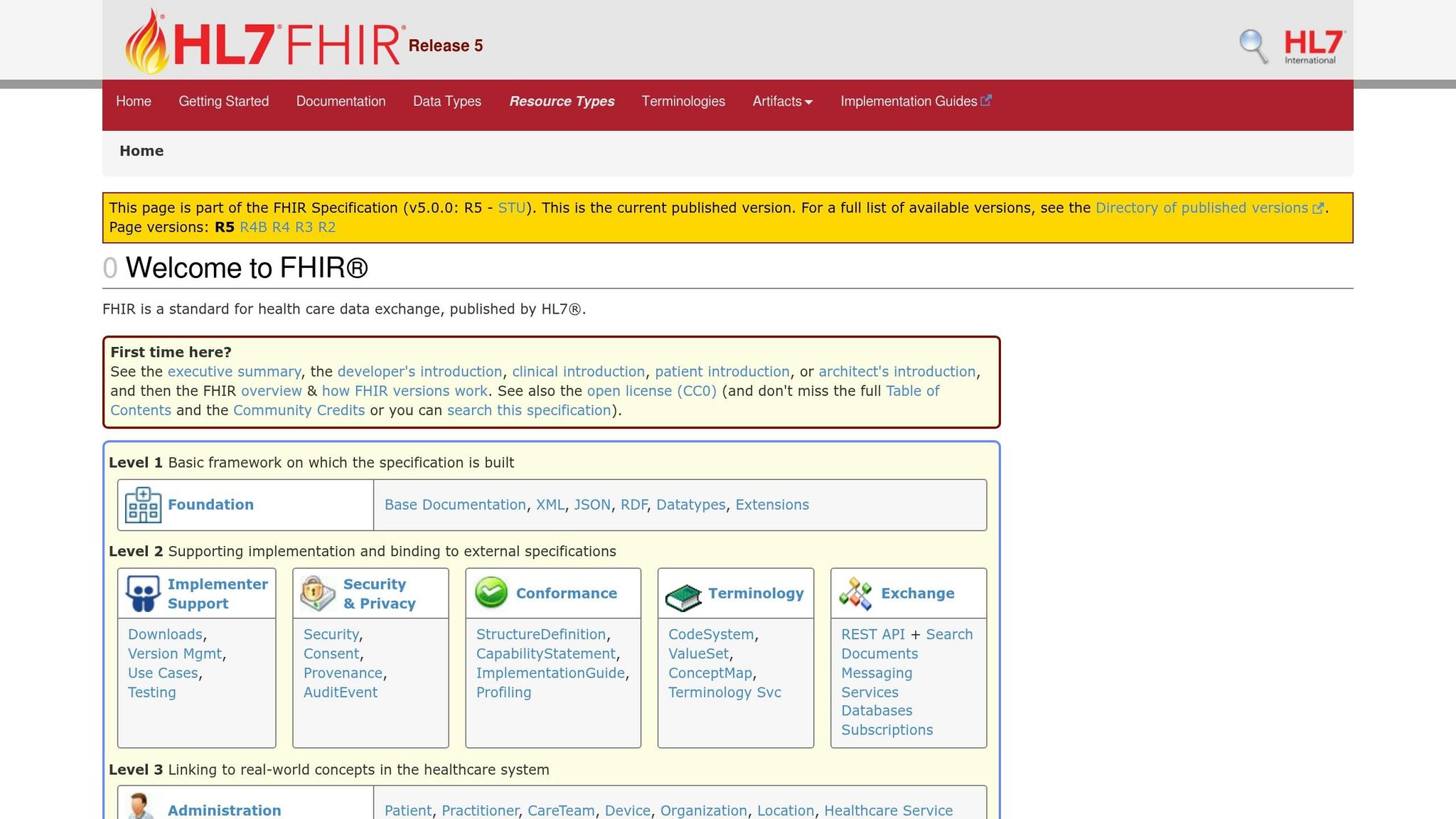
FHIR-native architecture pulls lab results, imaging reports, and medication history from outside systems into the patient record without manual re-entry. That helps with smoother care transitions and keeps outside data consistent when it's shared across sites.
For groups running more than one location, dashboards pull this information into one place. Urgent care leaders should watch metrics like:
Door-to-discharge time is a good example. When teams track it closely, it's easier to see which rooms or providers are slowing patient flow. BI integration then links operating data with financial reporting across multi-site groups. That gives leaders a live view of throughput, reimbursement, and site performance.
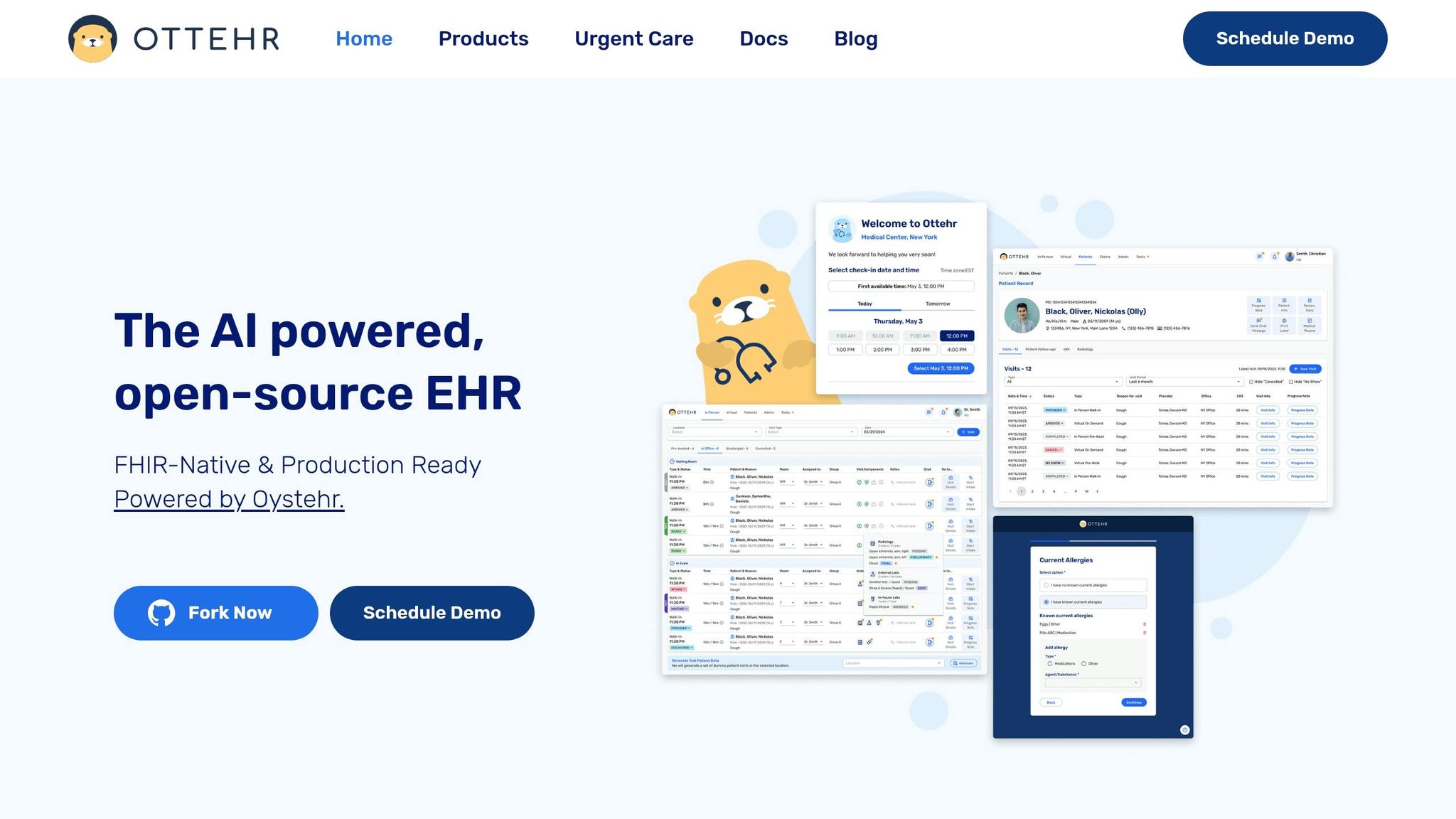
Ottehr is a FHIR-native, open-source, AI-powered EHR built for urgent care. It connects intake, charting, claims, and RCM in modular tiers.
In practice, Ottehr groups intake, documentation, coding, claims, and reporting into three modules. Each one lines up with a different stage of the urgent care visit, from front-desk intake through revenue cycle follow-up.
Ottehr AI is free and covers core workflow tools. That includes in-person and telehealth visits, scheduling, digital intake, a patient portal, basic templates, a visits tracking board, and AI documentation tools such as an ambient scribe and an HPI chatbot. EPCS is available as an add-on at $20/provider/month.
Ottehr Clinical costs $349/provider/month and adds key urgent care integrations. These include eRx with automatic rerouting and allergy/drug interaction alerts, radiology integration, diagnostic orders and results, SMS/Fax communication, payment processing, and an AI coding assistant.
Ottehr RCM costs $599/provider/month and covers RCM functions. That includes claims submission, denial management, fee schedules, patient billing, and stronger RCM reporting.
| Plan | Price (USD/Provider/Mo) | Key Modules | Best Fit |
|---|---|---|---|
| Ottehr AI | Free | In-person & telehealth visits, scheduling, patient portal, basic templates, AI scribe, tracking board | Clinics that want core documentation and intake tools |
| Ottehr Clinical | $349 | Everything in AI + eRx, radiology, SMS/Fax, AI coding assistant, payment processing | Established clinics needing full clinical and diagnostic integration |
| Ottehr RCM | $599 | Everything in Clinical + claims submission, denial management, fee schedules, patient billing, BI reporting | Multi-site operations requiring full billing and collections visibility |
The right urgent care platform keeps intake, documentation, coding, claims, and reporting in one workflow.
A shared record cuts claim errors because staff don't have to enter the same data in multiple places. Instead, intake, scheduling, clinical documentation, and billing all work from one accurate source of truth.
When demographics, insurance details, and clinical notes update in real time, integrated tools can check payer requirements and support documentation for medical necessity. That helps teams catch coding errors and missing justification before claims go out.
Start with these baseline metrics:
These metrics give you a clear snapshot of revenue cycle performance. They also help show where tools like AI-driven coding and eligibility verification can cut manual errors and speed up reimbursement.
Clinics should think about adding RCM tools when money starts slipping through the cracks. Common signs include high claim denial rates, repeated insurance verification mistakes, and too much time spent on manual billing work.
If the current setup leads to lost revenue or piles of admin work, RCM tools can take some of that load off. They can automate claim scrubbing, eligibility checks, and coding. Clinics seeing more than 20 patient visits a day may also get good use from a platform built for that kind of volume.

Tell us what you need and we'll get back to you soon.